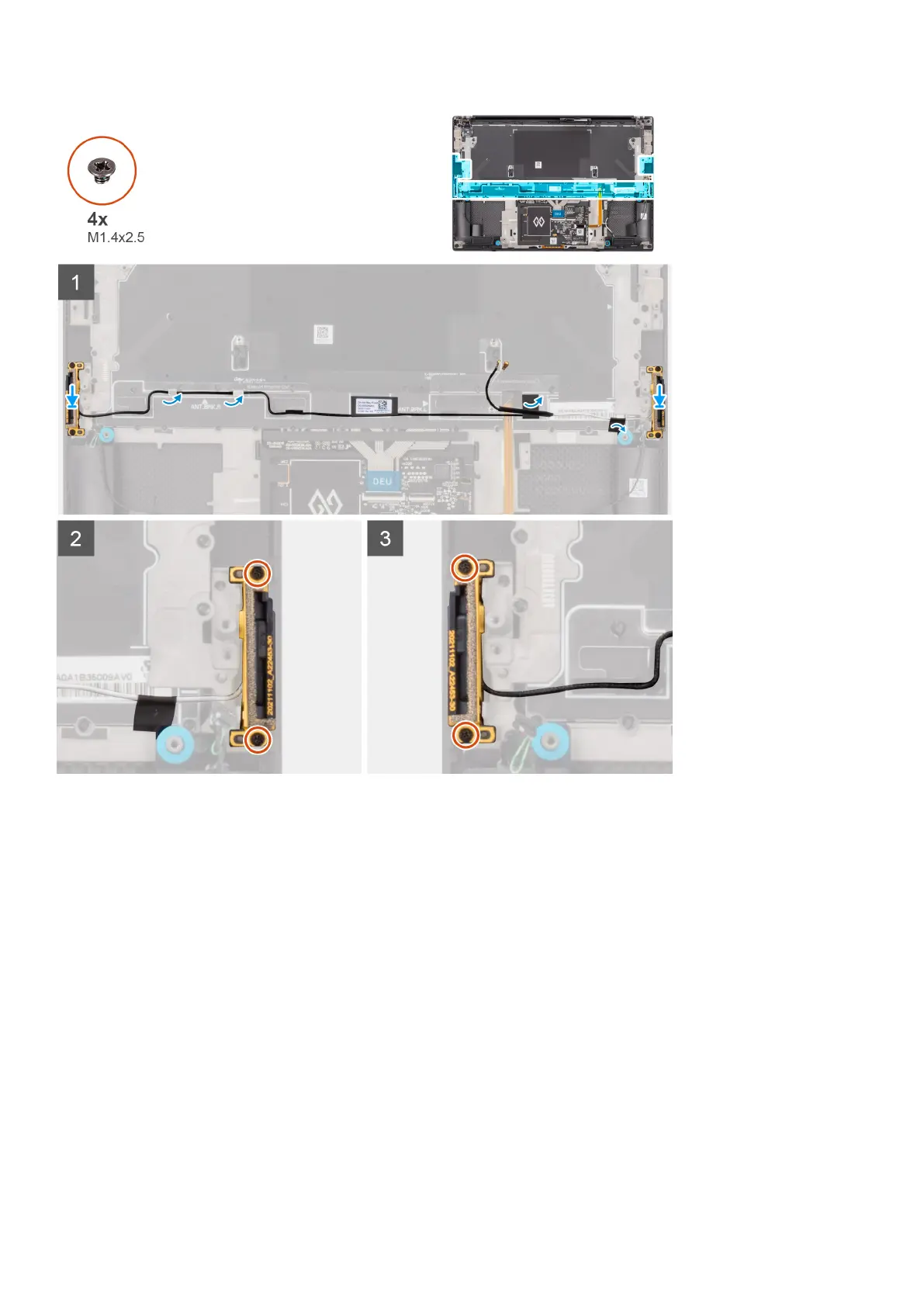
Steps
1. Align and place the auxiliary and main antennas into its slot on the palm-rest and keyboard assembly.
2. Reroute the auxiliary and main antennas using the routing guides on the palm-rest and keyboard assembly.
3. Adhere the tapes securing the auxiliary and main antennas to the palm-rest and keyboard assembly.
4. Replace the two (M1.4x2.5) captive screws that secure the main antenna on the palm-rest and keyboard assembly.
5. Replace the two (M1.4x2.5) captive screws that secure the auxiliary antenna on the palm-rest and keyboard assembly.
Next steps
1. Install the system board.
2. Install the audio jack.
3. Install the right fan.
4. Install the left fan.
5. Install the battery.
6. Install the M.2 2230 solid state drive or M.2 2280 solid state drive.
7. Install the base cover.
8. Follow the procedure in after working inside your computer.
62
Removing and installing components













 To Next Page