Set up your Precision 5490
About this task
NOTE: The images in this document may differ from your computer depending on the configuration you ordered.
Steps
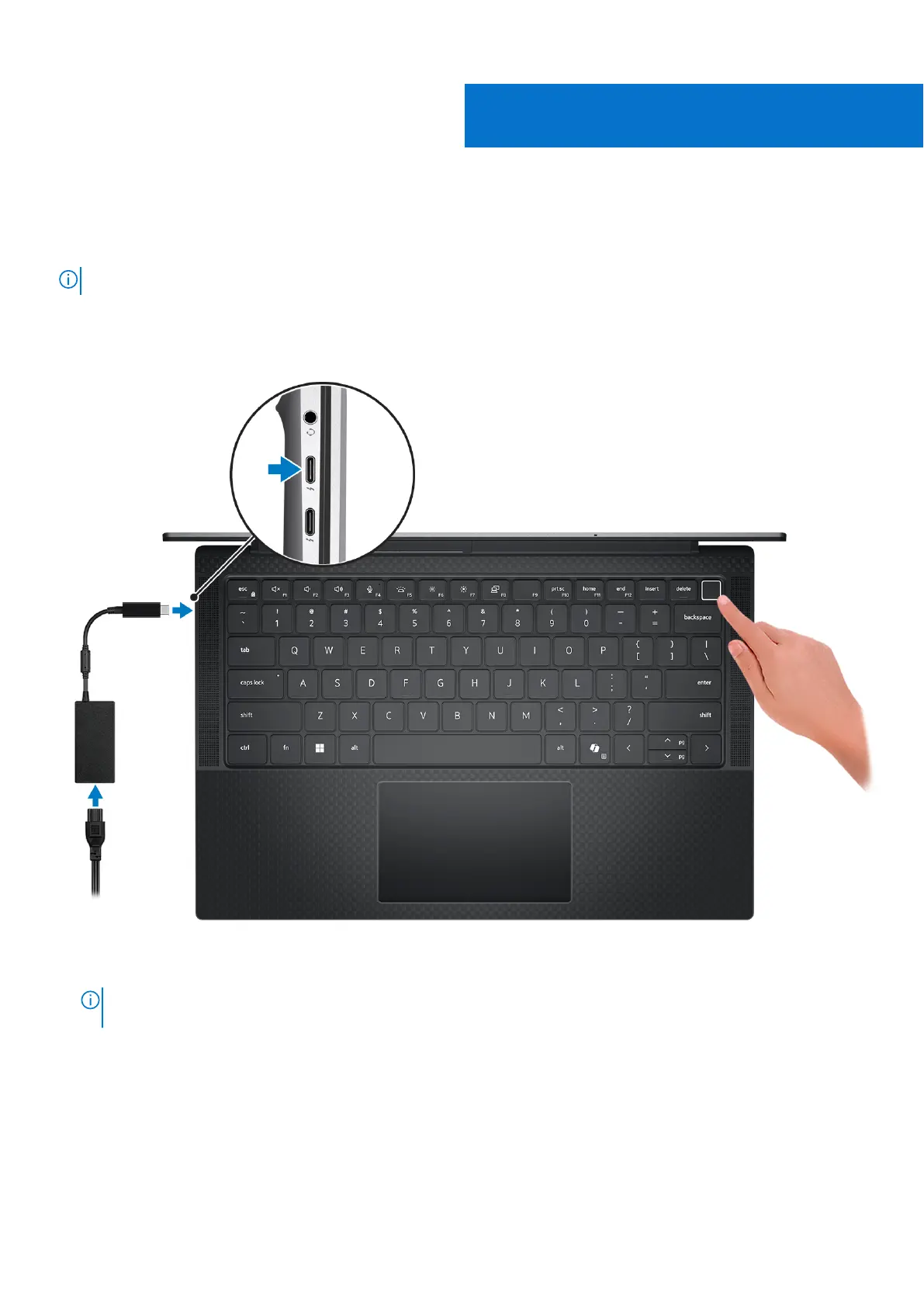
1. Connect the power adapter and press the power button.
Figure 7. Connect the power adapter and press the power button.
NOTE:
The battery may go into power-saving mode during shipment to conserve charge on the battery. Ensure that the
power adapter is connected to your computer when it is turned on for the first time.
2. Finish the operating system setup.
For Ubuntu:
Follow the on-screen instructions to complete the setup. For more information about installing and configuring Ubuntu,
search in the Knowledge Base Resource at www.dell.com/support.
For Windows:
Follow the on-screen instructions to complete the setup. When setting up, Dell Technologies recommends that you:
2
Set up your Precision 5490 13












 To Next Page