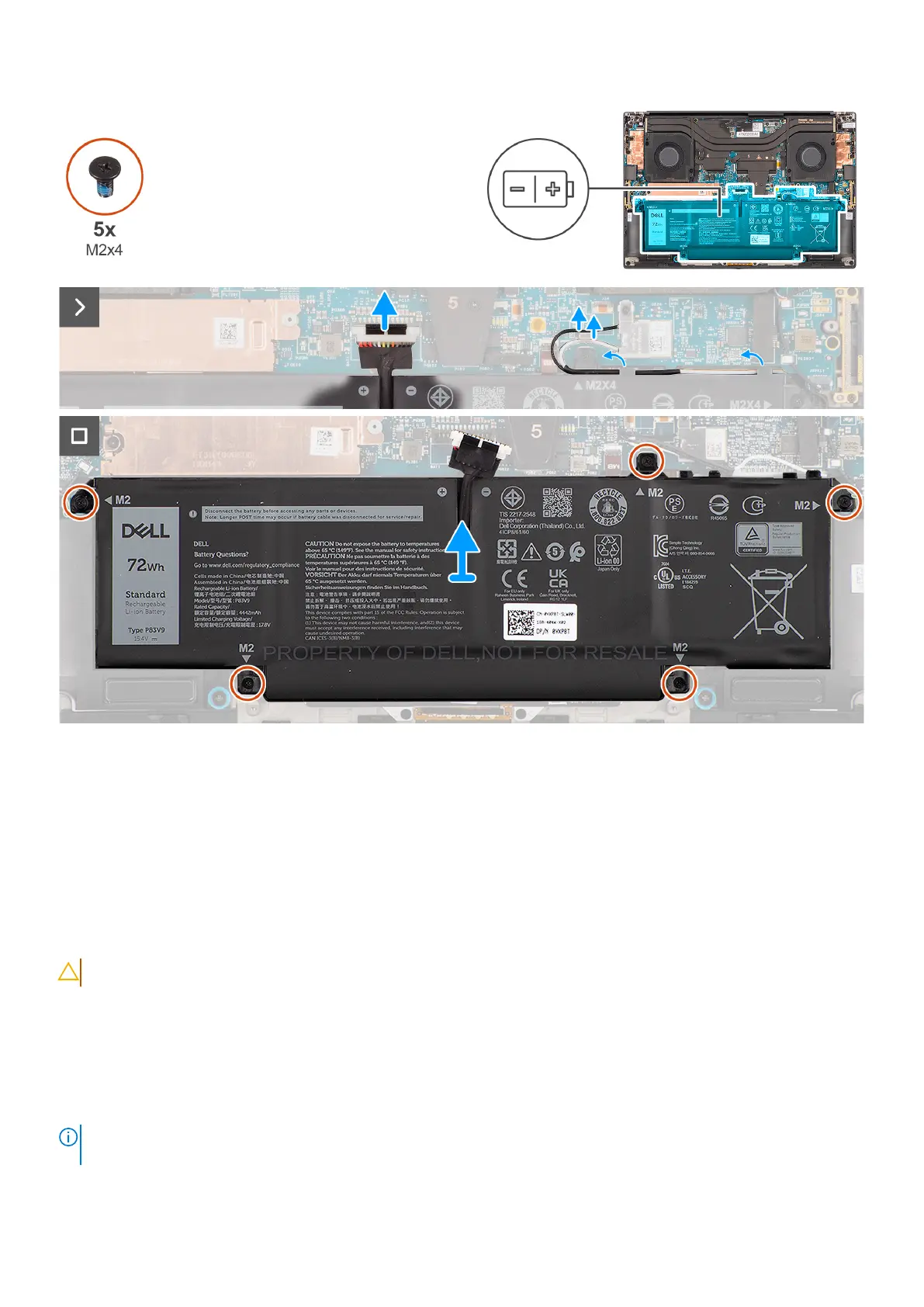
Figure 38. Removing the battery
Steps
1. Disconnect the battery cable from the connector on the system board.
2. Unroute the WLAN antennas from the routing guides on the battery.
3. Remove the five screws (M2x4) that secure the battery to the palm-rest and keyboard assembly.
4. Slightly lift the battery at an angle and slide to remove from the palm-rest and keyboard assembly.
Installing the battery
CAUTION: The information in this installation section is intended for authorized service technicians only.
Prerequisites
If you are replacing a component, remove the existing component before performing the installation procedure.
About this task
The figure indicates the location of the battery and provides a visual representation of the installation procedure.
NOTE:
For models shipped with WLAN antennas, unroute the cables from the upper-right side of the battery before
battery removal and then tuck the cables back into the routing channels when reinstalling the battery.
56 Removing and installing Field Replaceable Units (FRUs)












 To Next Page