About this task
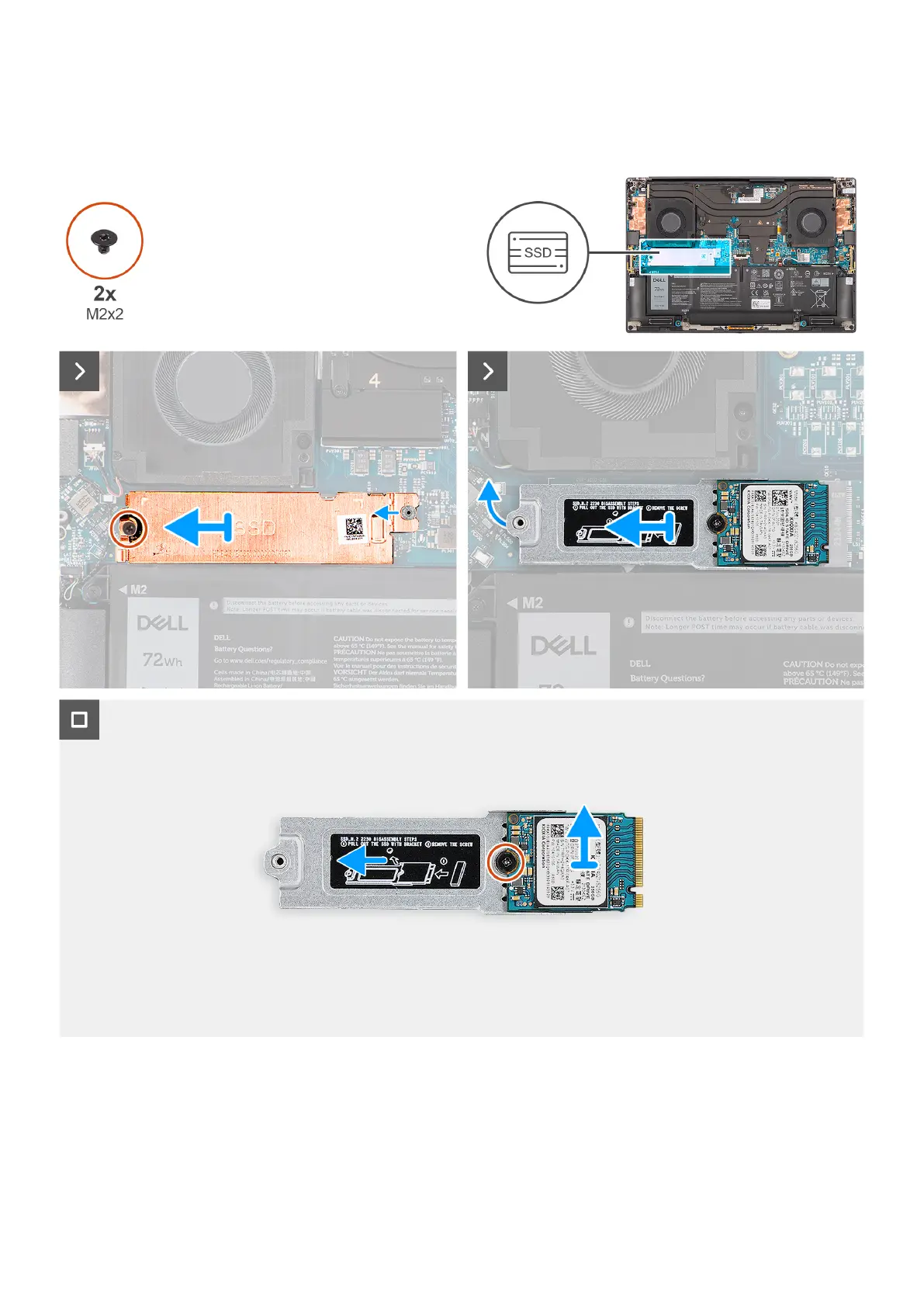
The figure indicates the location of the M.2 2230 solid state drive and provides a visual representation of the removal
procedure.
Figure 34. Removing the M.2 2230 solid-state drive
Steps
1. Remove the screw (M2x2) that secures the SSD thermal plate to the M.2 2230 solid state drive bracket.
2. Lift to remove the SSD thermal plate away from the computer.
3. Lift the M.2 2230 solid state drive bracket at an angle and slide to remove from its slot on the system board.
50
Removing and installing Field Replaceable Units (FRUs)












 To Next Page