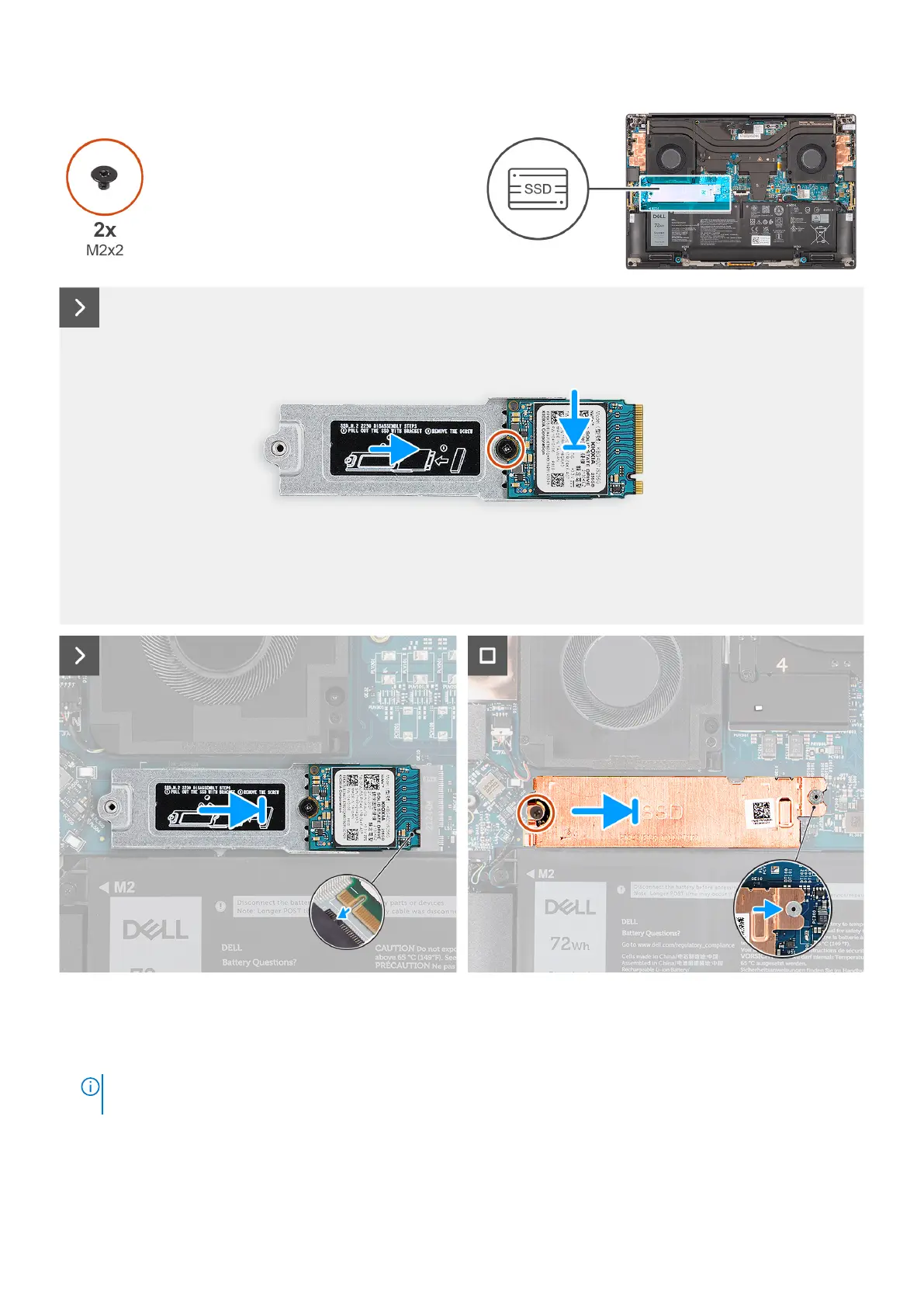
Figure 35. Installing the M.2 2230 solid-state drive
Steps
1. Align and place the M.2 2230 solid-state drive on the M.2 2230 solid-state drive bracket.
NOTE:
Install the M.2 2230 solid-state drive to the SSD bracket so that the top side (with the sticker) of the M.2 2230
solid-state drive is facing up.
2. Replace the screw (M2x2) that secures the M.2 2230 solid-state drive to the M.2 2230 solid-state drive bracket.
3. Carefully align and insert the M.2 2230 solid-state drive bracket to its slot on the system board.
52
Removing and installing Field Replaceable Units (FRUs)












 To Next Page