About this task
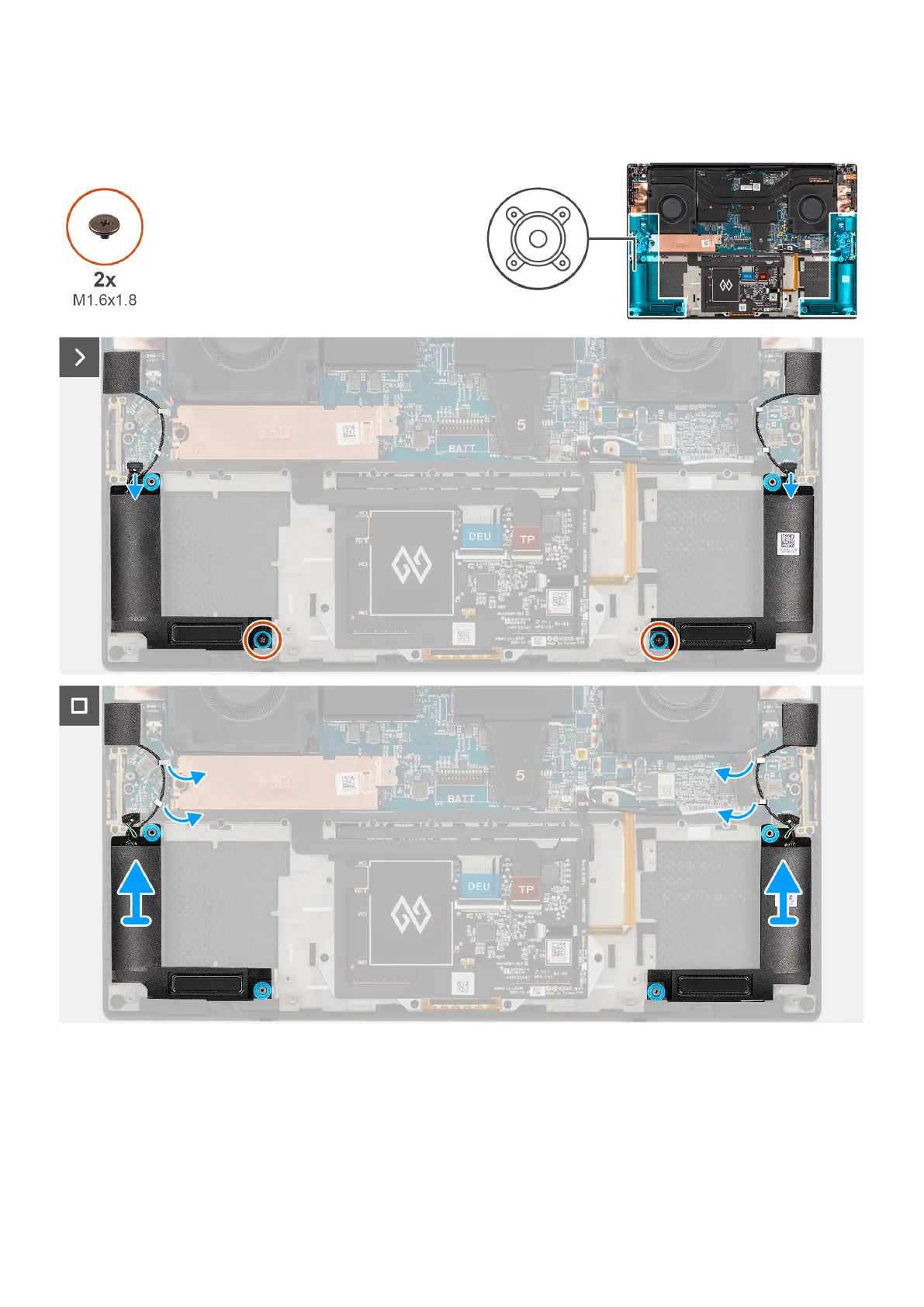
The figure indicates the location of the speaker and provides a visual representation of the removal procedure.
Figure 50. Removing the speaker
Steps
1. Disconnect the left and right speaker cables from the connectors on the system board.
2. Peel the left and right tweeter speakers from their compartments on the palm-rest and keyboard assembly.
3. Remove the two screws (M1.6x1.8) that secure the left and right speakers to the palm-rest and keyboard assembly.
4. Unroute the left and right tweeter speaker cables from their routing guides on the system board.
68
Removing and installing Field Replaceable Units (FRUs)












 To Next Page