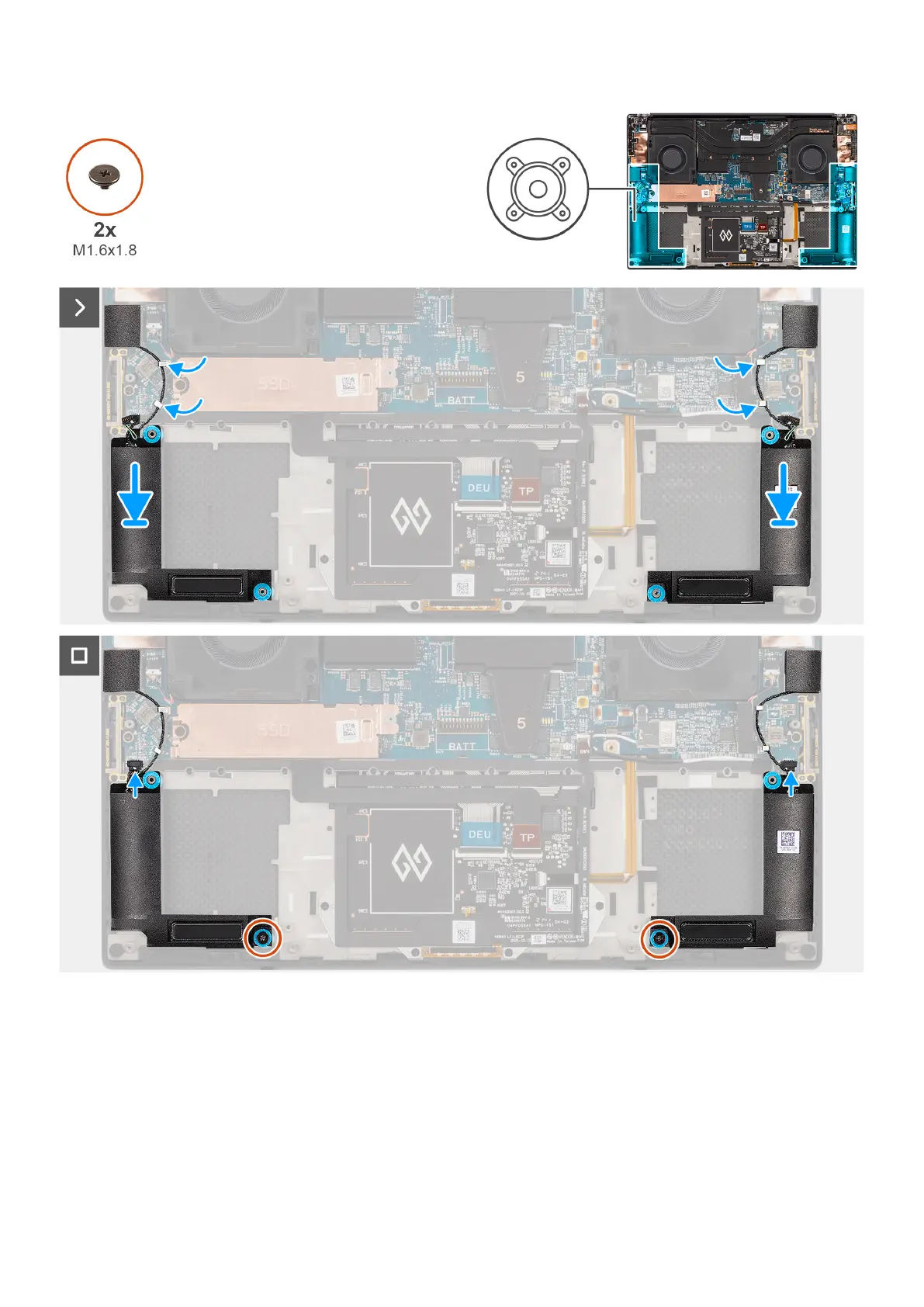
Figure 51. Installing the speaker
Steps
1. Align and place the left and right speakers into its slot on the palm-rest and keyboard assembly.
2. Route the left and right tweeter speakers using the routing guides on the system board.
3. Replace the two screws (M1.6x1.8) to secure the left and right speakers to the palm-rest and keyboard assembly.
4. Adhere the left and right tweeter speakers in their compartments on the system board.
5. Connect the left and right speaker cables to the connectors on the system board.
70
Removing and installing Field Replaceable Units (FRUs)












 To Next Page