Display bezel
Removing the display bezel
Prerequisites
1 Follow the procedure in Before working inside your computer.
2 Remove the base cover.
3 Remove the battery.
4 Remove the WLAN card.
5 Remove the display assembly.
About this task
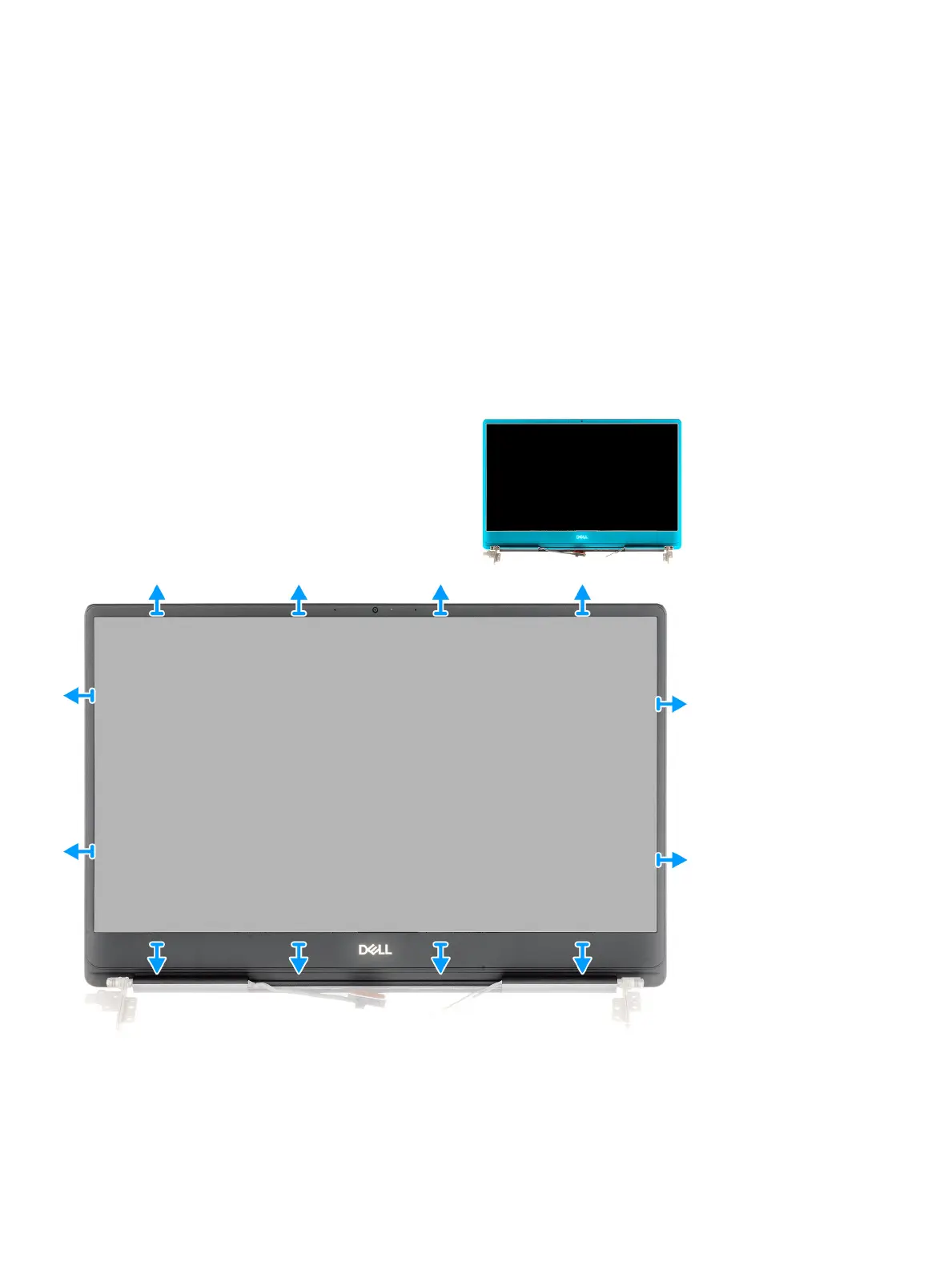
The gure indicates the location of the display bezel and provides a visual representation of the removal procedure.
Steps
1 Carefully pry the edges of the display bezel o the display back-cover and antenna assembly.
2 Remove the display bezel o the display back-cover and antenna assembly.
58
Disassembly and reassembly



 To Next Page