Chapter 4 Display and Operation|ASDA-B Series
Revision January 2009 4-9
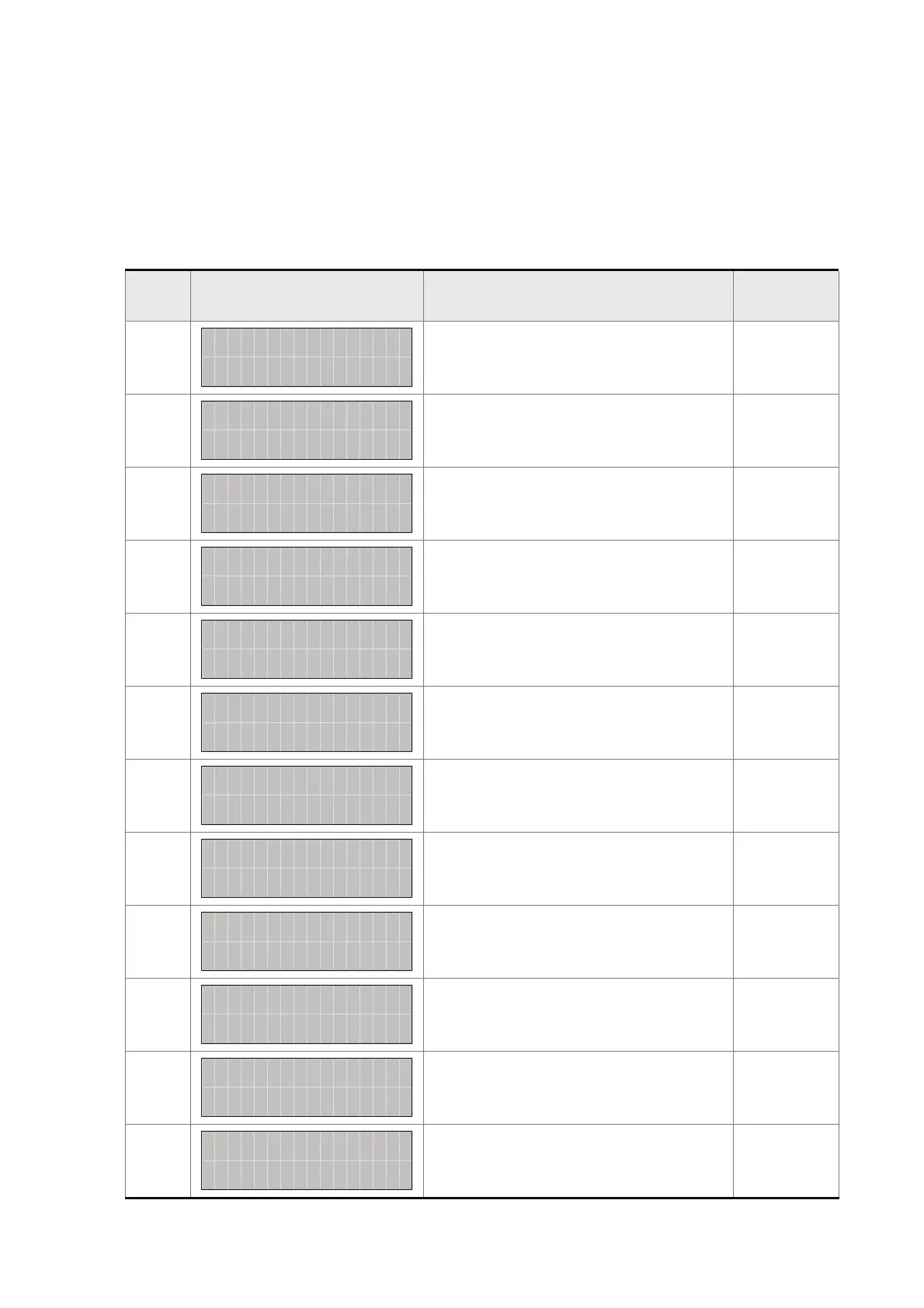
Monitor Setting Display
In monitor mode, in order to change the monitor status, the users can press UP or DOWN arrow key or
change parameter P0-02 directly to specify the monitor status. When the power is applied, the monitor
status depends on the setting value of P0-02. For example, if the setting value of P0-02 is 2 when the
power is applied, the C.P monitor symbol will first display and then show the “Pulse counts of pulse
command [pulse]” monitor status.
P0-02
Setting
Display Message Description Unit
0
bFS
:
0T
S
0
0
L
P
US
E
l
p
u
s
e
Motor feedback pulse number pulse
1
bFS
:
0T
S
1
0
V
R
E
v
r
e
Motor feedback rotation number rev
2
MCS
:
0T
S
2
0
L
P
US
E
l
p
u
s
e
D
Pulse counts of pulse command pulse
3
MCS
:
0T
S
3
0
D
V
R
E
v
r
e
Rotation number of pulse command rev
4
RES
:
0T
S
4
0
L
P
US
E
l
p
u
s
e
R
Position error counts pulse
5
ER
S
:
0T
S
5
0
d
C
m
P
F
zkH
Q
Input frequency of pulse command kHz
6
pr
S
:
0T
S
6
0
ESP E
D
m
Motor rotation speed rpm
7
lo
S
:
0T
S
7
0
DCM D
1
t
S
P
v
Speed input command volt
8
pr
S
:
0T
S
8
0
DCM D
2
m
S
P
Speed input command rpm
9
S
:
0T
S
9
0
DCM L
1
T
Q
00. lotv
Torque input command volt
10
S
:
0
T
S1
0
DCM L
2
T
Q
m
-
tN
Torque input command Nt-m
11
S
:
TS1
0
GAV ADLO
%
1
Average load %



 To Next Page