92
BHT-1600 Handy Terminal User Manual
WI-FI HOTSPOT (4G MODEL ONLY)
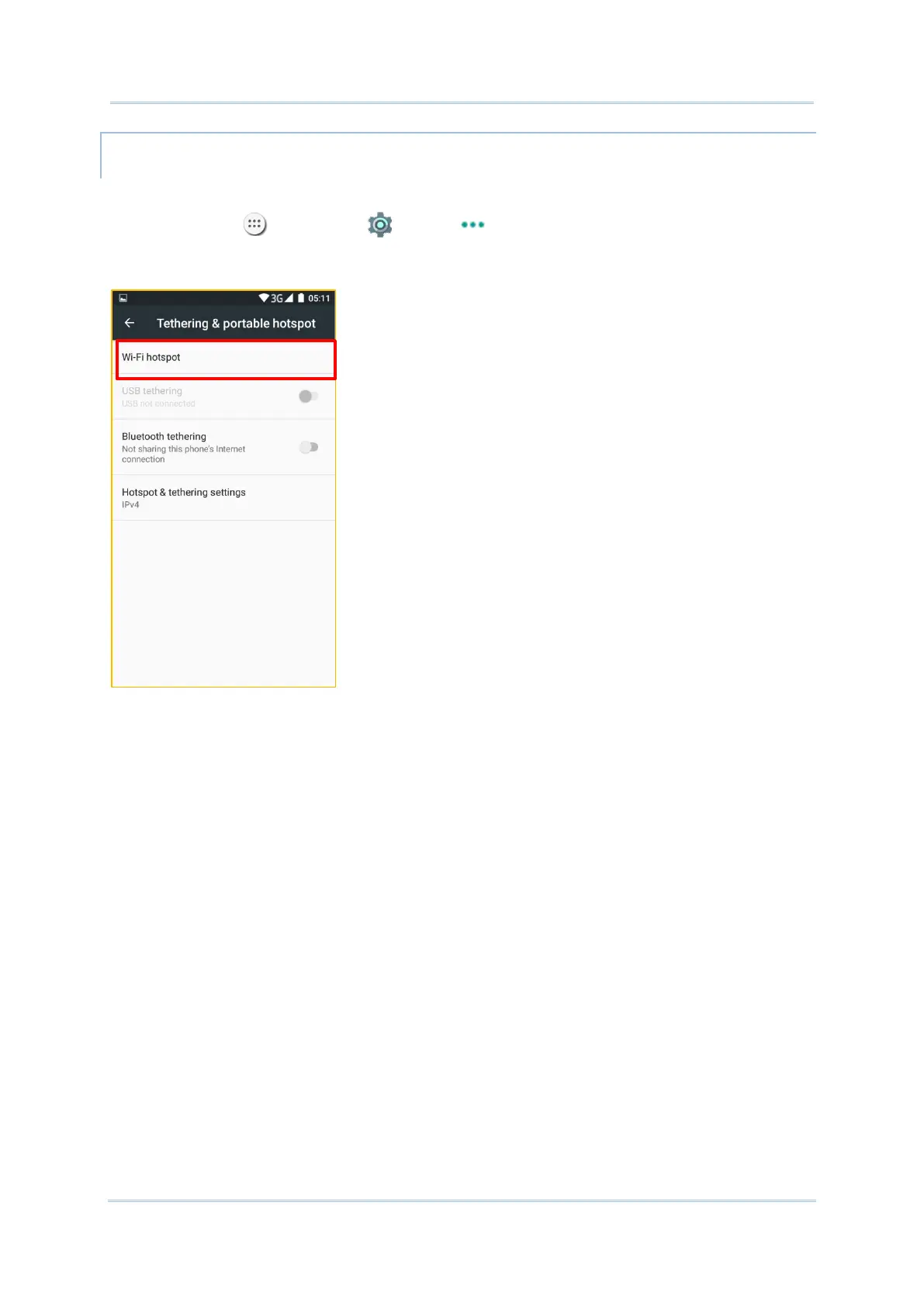
To share data connection in the form of a Wi-Fi hotspot:
1) Tap All Apps | Settings | More | Tethering & portable hotspot.
2) Tap the Wi-Fi hotspot switch to enable data sharing through Wi-Fi. The handy terminal
will start broadcasting its SSID for other devices to connect.
3) Tap the Wi-Fi hotspot label to manage Wi-Fi hotspot settings: set when to turn the
Wi-Fi hotspot off, change SSID and security settings, select whether to minimize battery
usage when Wi-Fi hotspot is enabled, enable WPS mode and adjust bandwidth, and view
connected users.



 To Next Page