138
BHT-1600 Handy Terminal User Manual
RESET TO FACTORY DEFAULTS
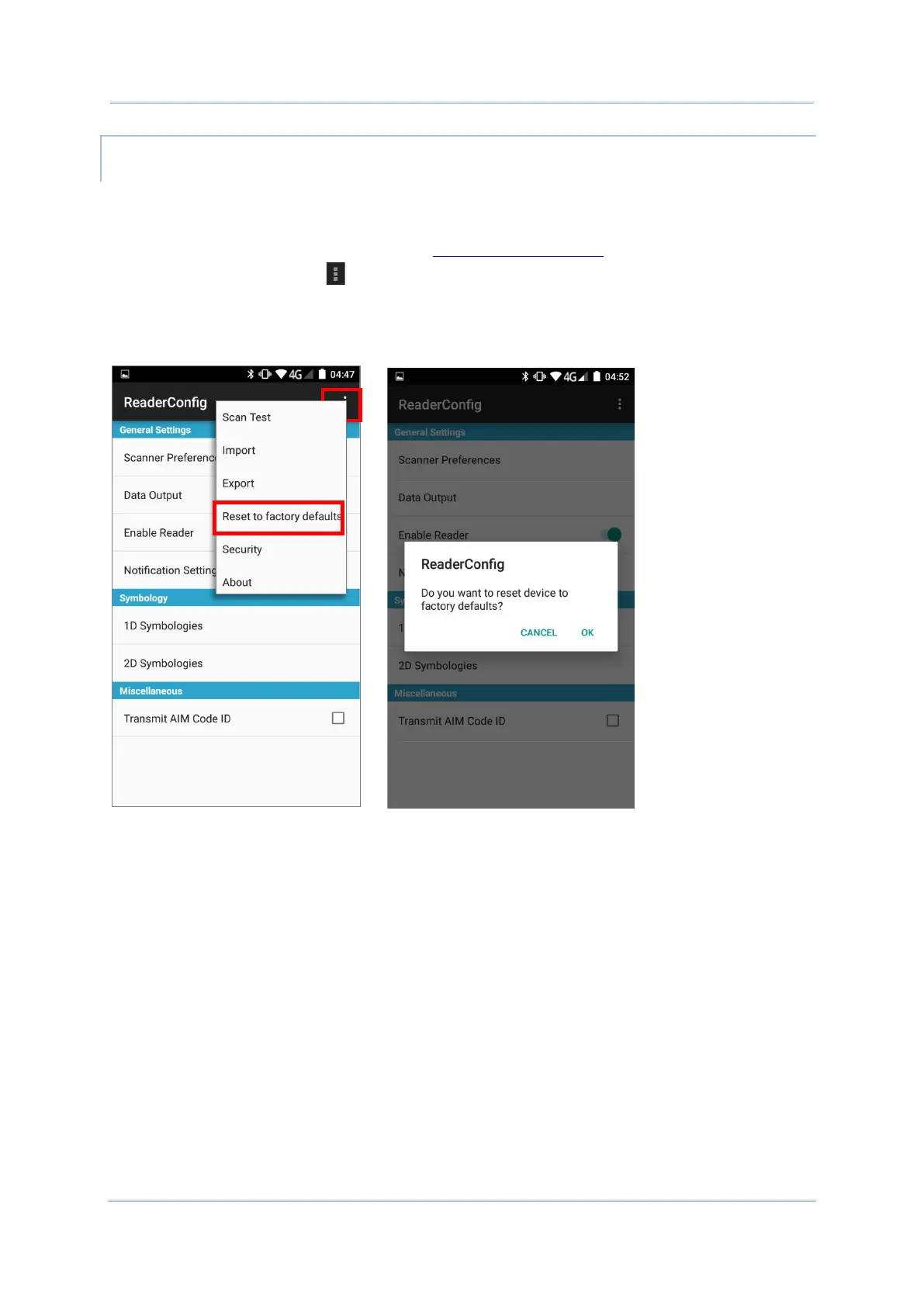
This function restores all settings in the Reader Config application to default.
To enable Factory Reset:
1) Open Reader Config as described in Launch Reader Config.
2) Tap the settings button on the menu bar to open the options menu.
3) Tap Reset to Factory defaults.
A warning dialog appears confirming whether to restore all application settings back to
default. Tap OK to reset or Cancel to close the dialog.



 To Next Page