139
BHT-1600 Handy Terminal User Manual
SECURITY
You can set a password to restrict other users of this handy terminal from changing certain
configurations or accessing certain functions in Reader Config.
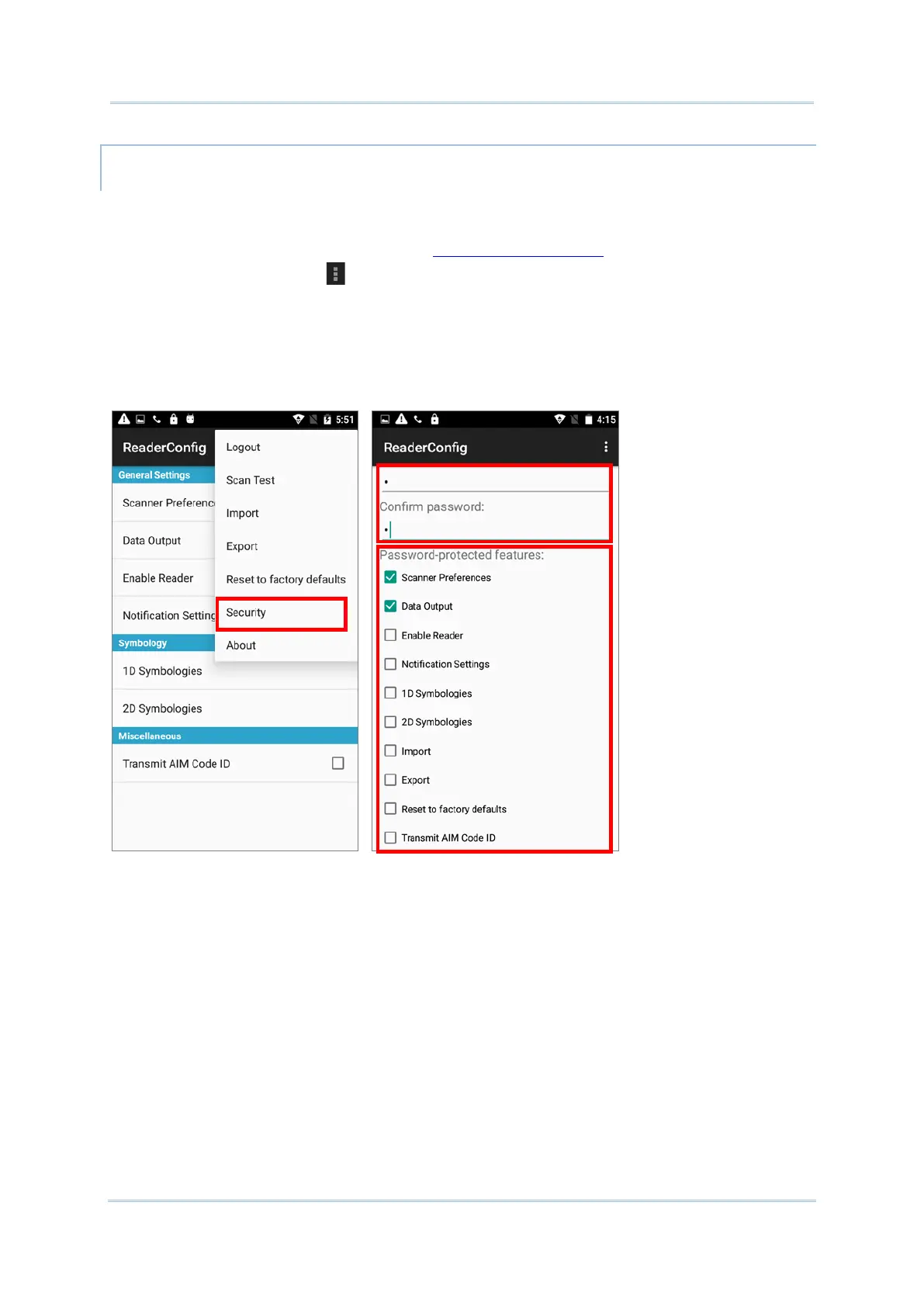
1) Open Reader Config as described in Launch Reader Config.
2) Tap the settings button on the menu bar to open the options menu.
3) Tap Security.
4) Enter and confirm a password (up to 32 characters, containing at least 1 digit or 1
alphabetic letter).
5) Check the items that will be protected by this password.



 To Next Page