14
BHT-1600 Handy Terminal User Manual
USE DIRECT CABLE
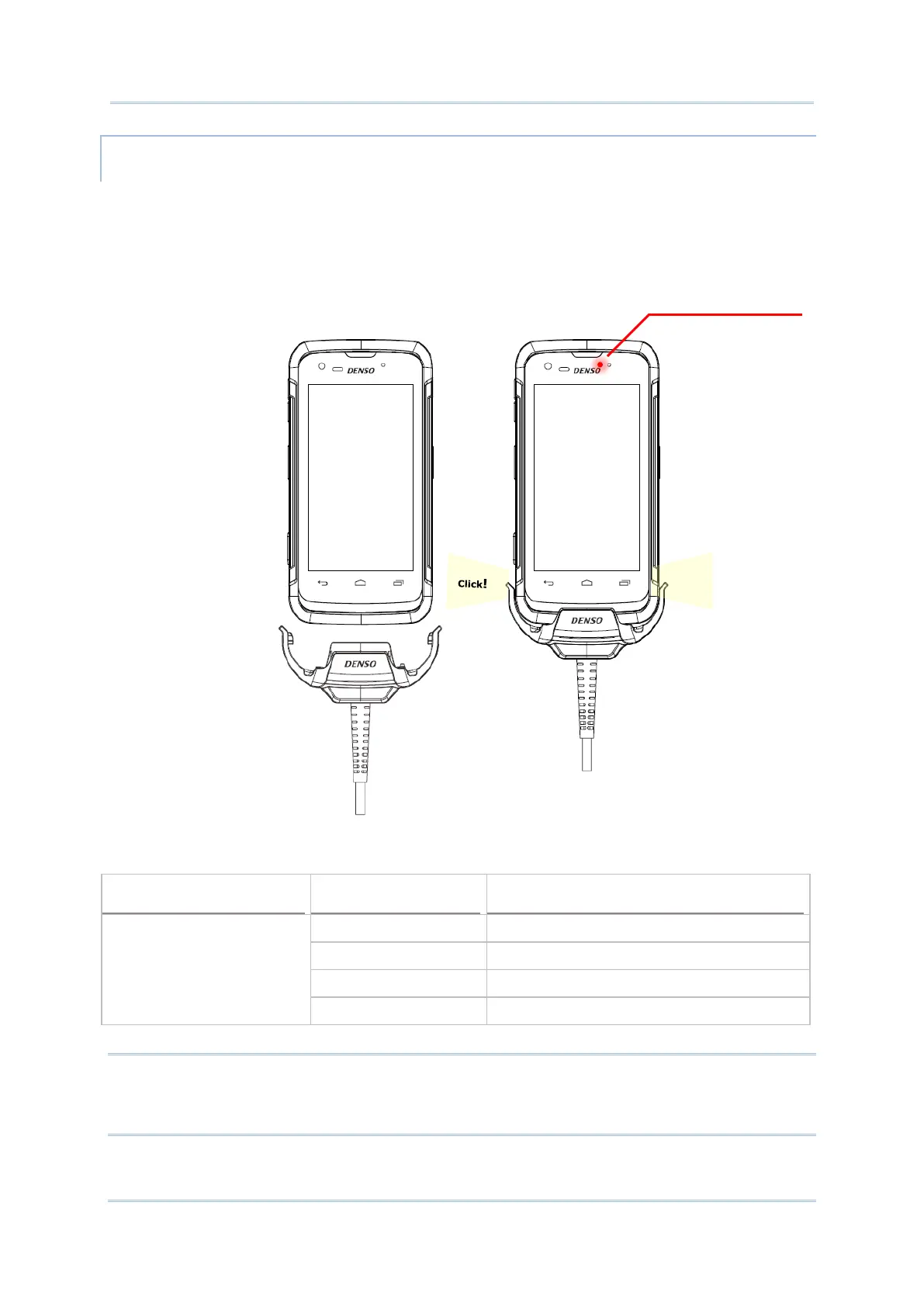
The Direct Cable provides a convenient way to charge your handy terminal.
1) Fasten the Direct Cable to the lower end of the handy terminal.
2) Connect the other end of the cable to the adapter.
3) Fix the adapter plug onto the adapter, and plug in into an electrical outlet.
While the device battery is being charged, the LED on handy terminal will indicate charging
status.
Note:
The Direct Cable is for charging only. For data communication, use the micro USB cable to
connect the handy terminal to your PC or laptop.
LED Indicator Status Description
Charging Red, solid Charging the handy terminal
Red, blink Charging error (charging will stop)
Green, solid Charging complete
No light The cable is not correctly connected



 To Next Page