32
BHT-1600 Handy Terminal User Manual
SET UP SD CARD AS PORTABLE STORAGE
Using SD card as a portable device allows you to treat it as a USB disk, by swapping it
between your Android device and the computer to easily transfer files. This is quite handy
when there is a need to offload files that are taking up too much storage space.
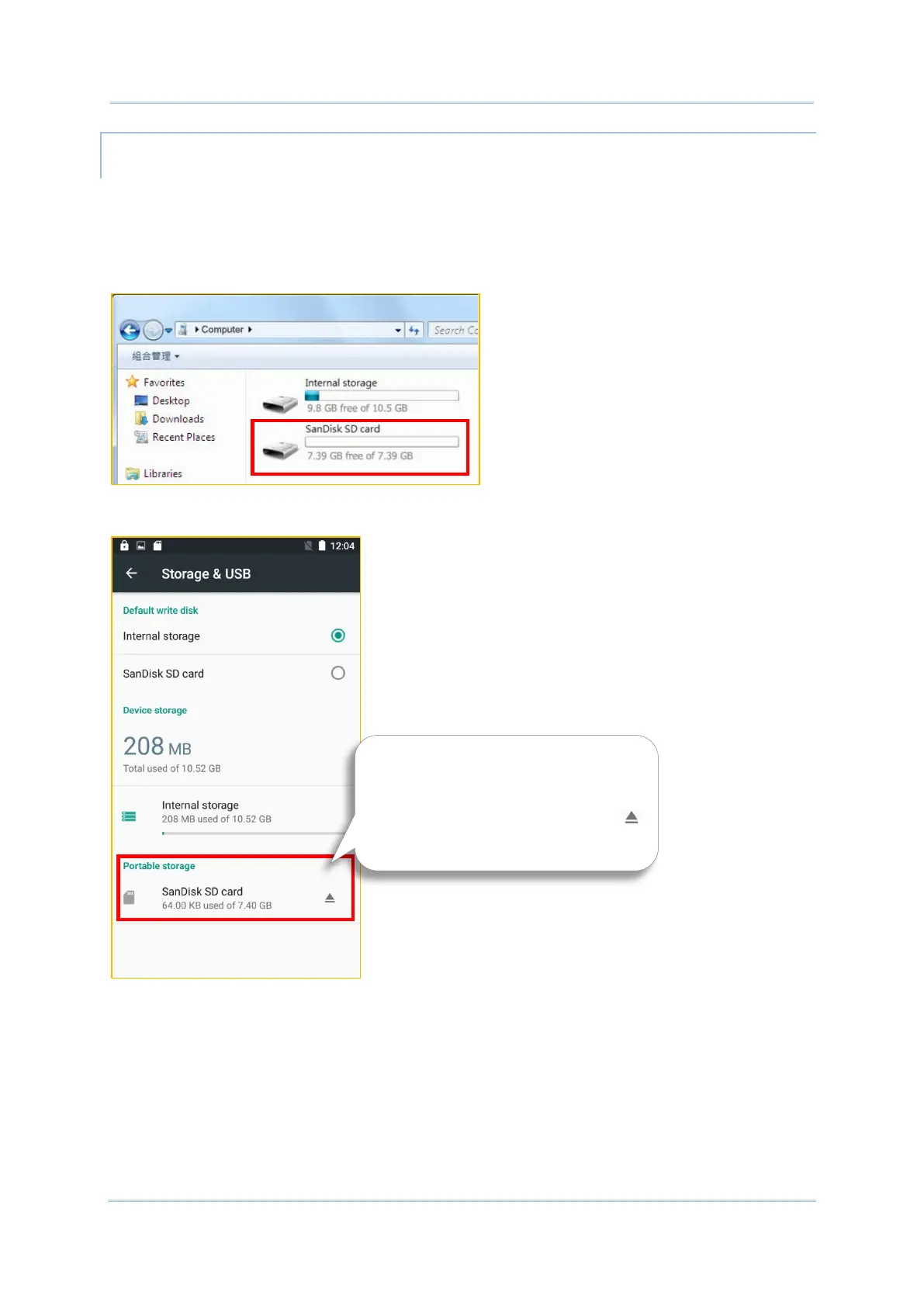
When this device is connected with PC, the disk content is readable on PC client:
On Storage & USB screen, this disk can be managed separately.
To start:
1) Connect your handy terminal with PC with supplied USB cable, swipe down from the
status bar to reveal Notifications Drawer, tap “USB for Charging” to enter USB options
and then choose “File transfers”.
2) Insert the SD card. A notification will pop up indicating that an SD card is detected tap
“SET UP”.
The SD card is considered a
separate storage, the capacity of
which is not included in total
device storage. You can tap
to eject a mounted SD card.



 To Next Page