33
BHT-1600 Handy Terminal User Manual
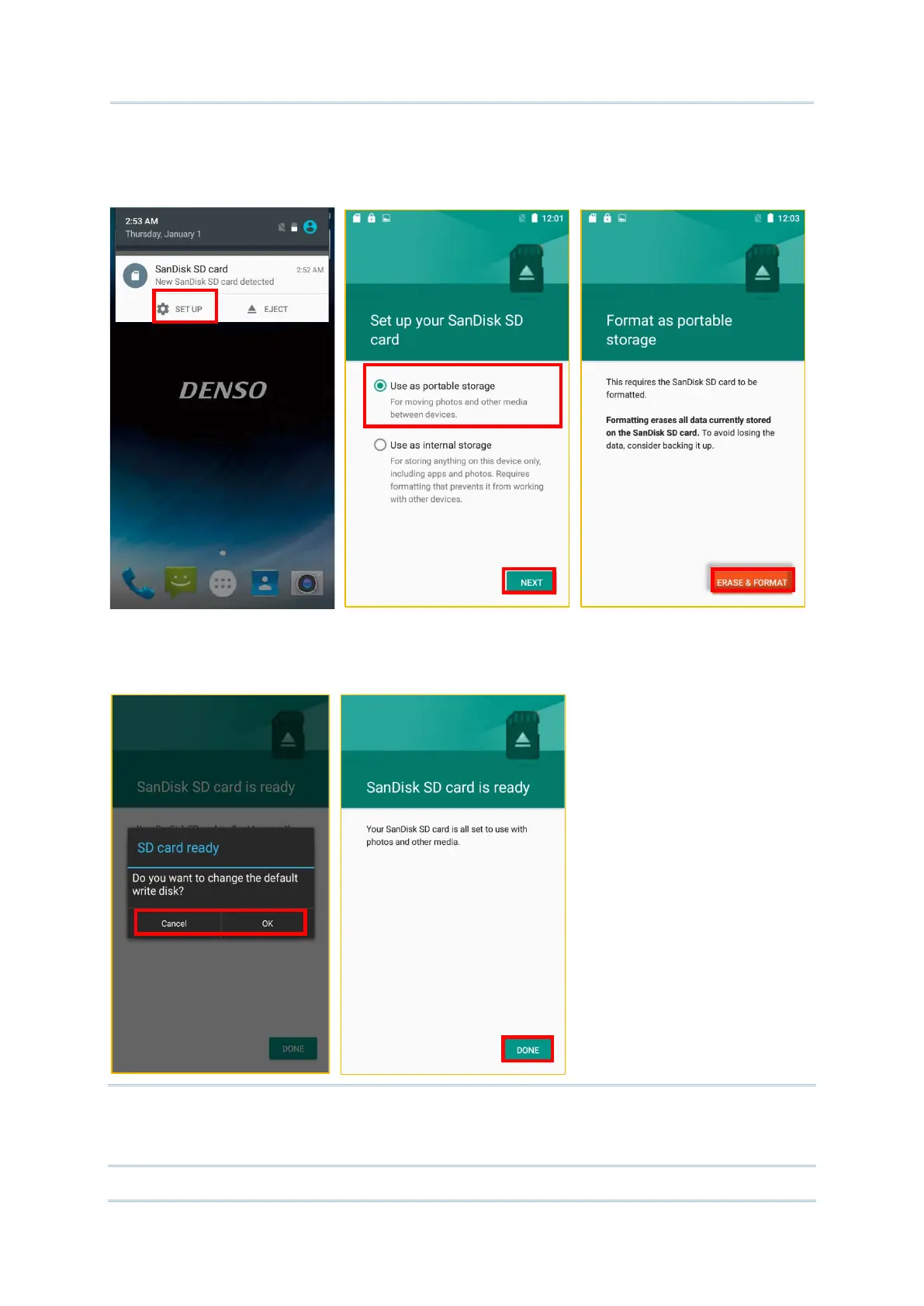
3) Tap “Use as portable storage” and then “NEXT”
4) Tap “ERASE & FORMAT” to format this card. The file format allows the card to be
readable on other devices such as PC or a digital camera.
5) At the window asking you whether to change the write disk from internal storage
(default) to the SD card, tap “OK” to do so or “Cancel ” to stay with the default setting.
6) When the setting is completed, tap “DONE”.
Note:
Please make sure the USB cable is properly connected while transferring files over USB
connection.



 To Next Page