73
BHT-1600 Handy Terminal User Manual
NAME FOLDER
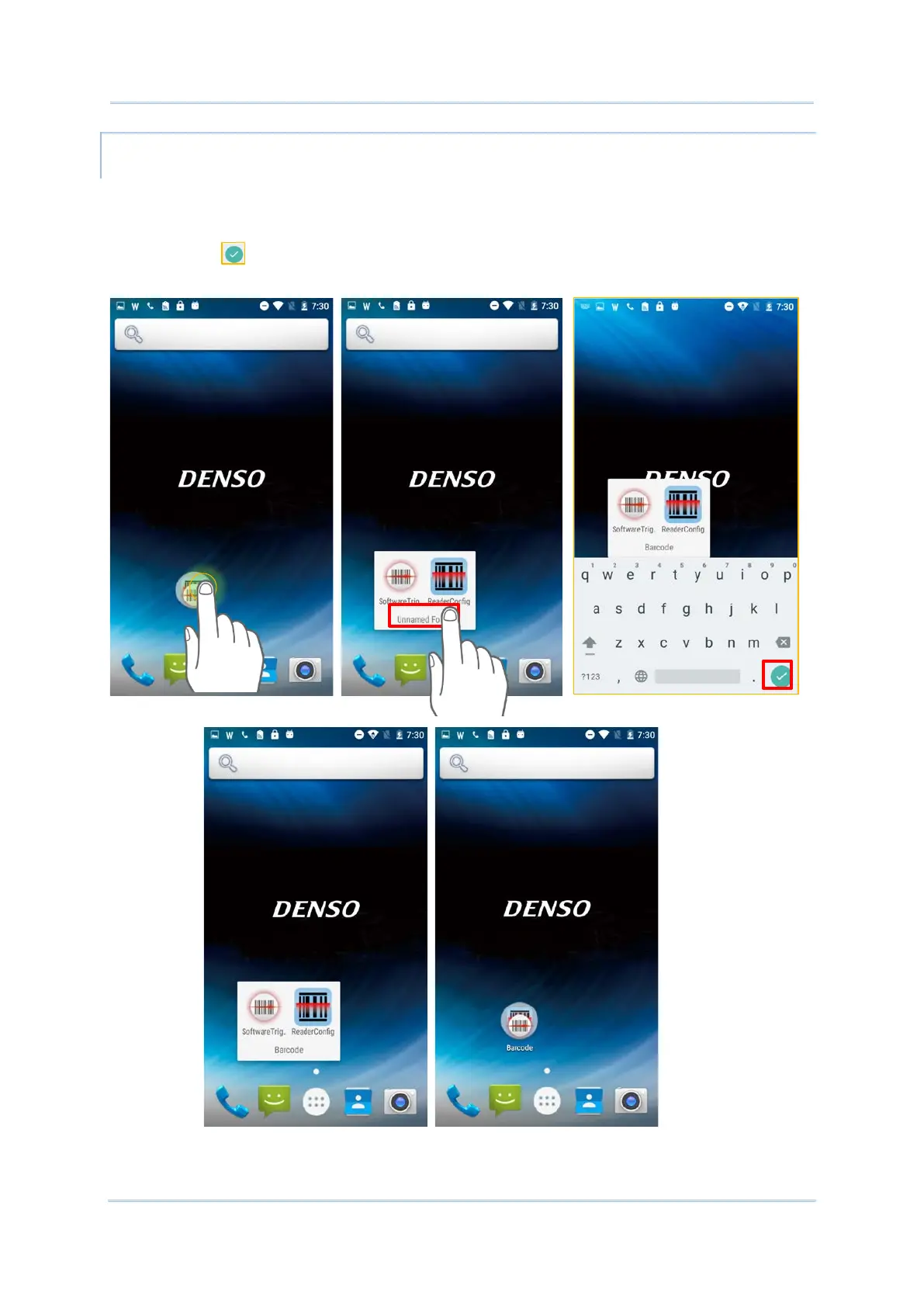
1) Tap the folder you would like to name.
2) The folder will expand from a small circle to a full rectangle to show all the shortcuts in
it. Tap “Unnamed Folder” and edit the folder name.
3) Tap Done on the on-screen keyboard.
4) Tap elsewhere on the screen, the folder will shrink to a small circle with its new name.
b



 To Next Page