96
SECTION III: APPENDICES
Appendix A—Installing Firmware Updates
Firmware is software that is used as the control program for the microprocessor in your ELITEpro XC.
Firmware updates provide new features and bug fixes for the ELITEpro XC. Contact DENT Instruments
for more information.
FIRMWARE UPDATES
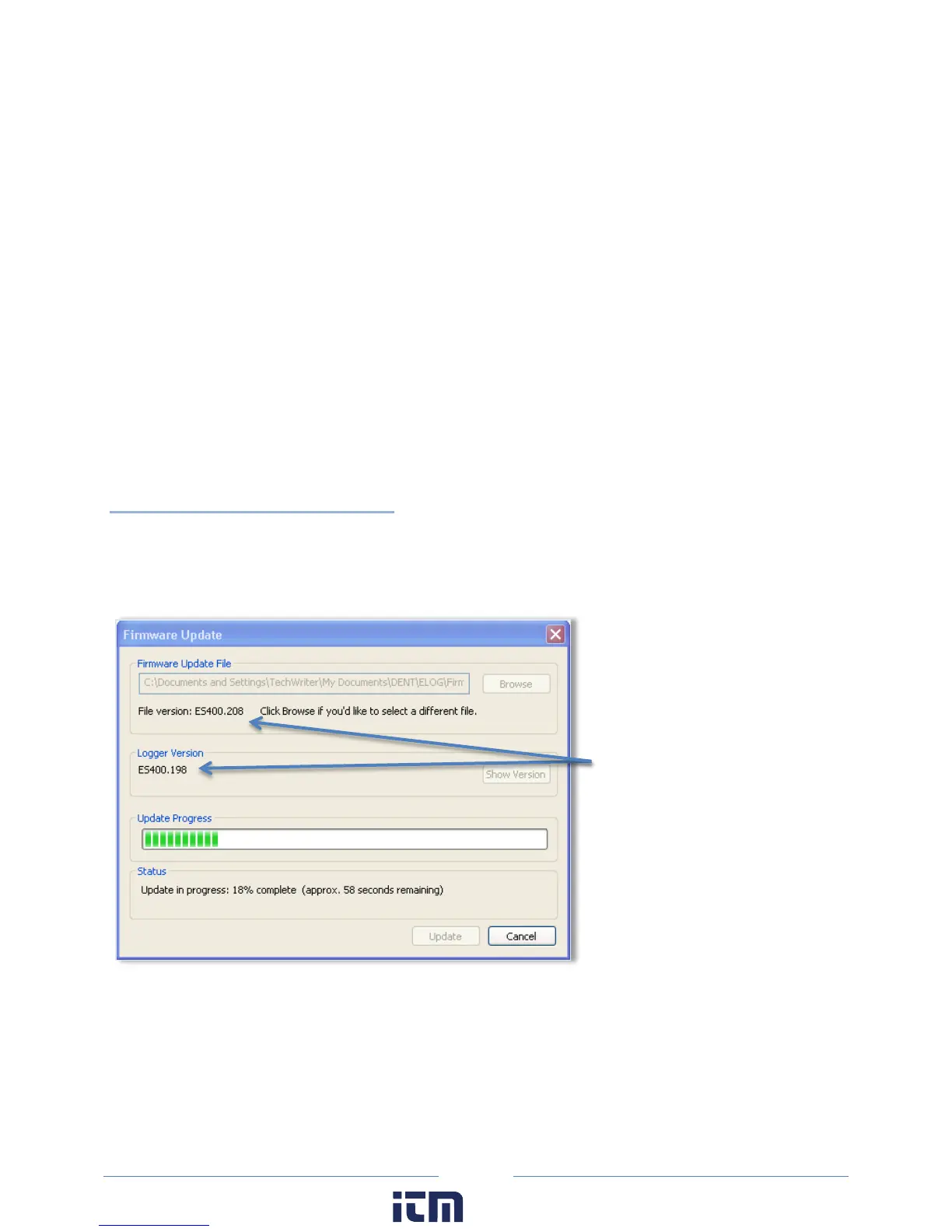
You can check the firmware version of your ELITEpro XC from the Tools menu. Select Tools > Update
Logger Firmware. The Firmware Update dialog box displays. No update is required if your firmware File
version and Logger Version are the same.
Downloading and Installing
Firmware
To install firmware/updates:
1) Select Tools > Update Logger Firmware. The following dialog box displays:
2) If necessary, click the Browse button to locate the firmware update file.
3) Click Update.
4) The Update Progress bar displays the progress of the firmware update.
File version and Logger Version are
different, requiring an update.
w ww. . com
information@itm.com1.800.561.8187



 To Next Page