EN-50 Original User Guide | Pedelec Impulse Evo / Impulse Evo Next Version 4
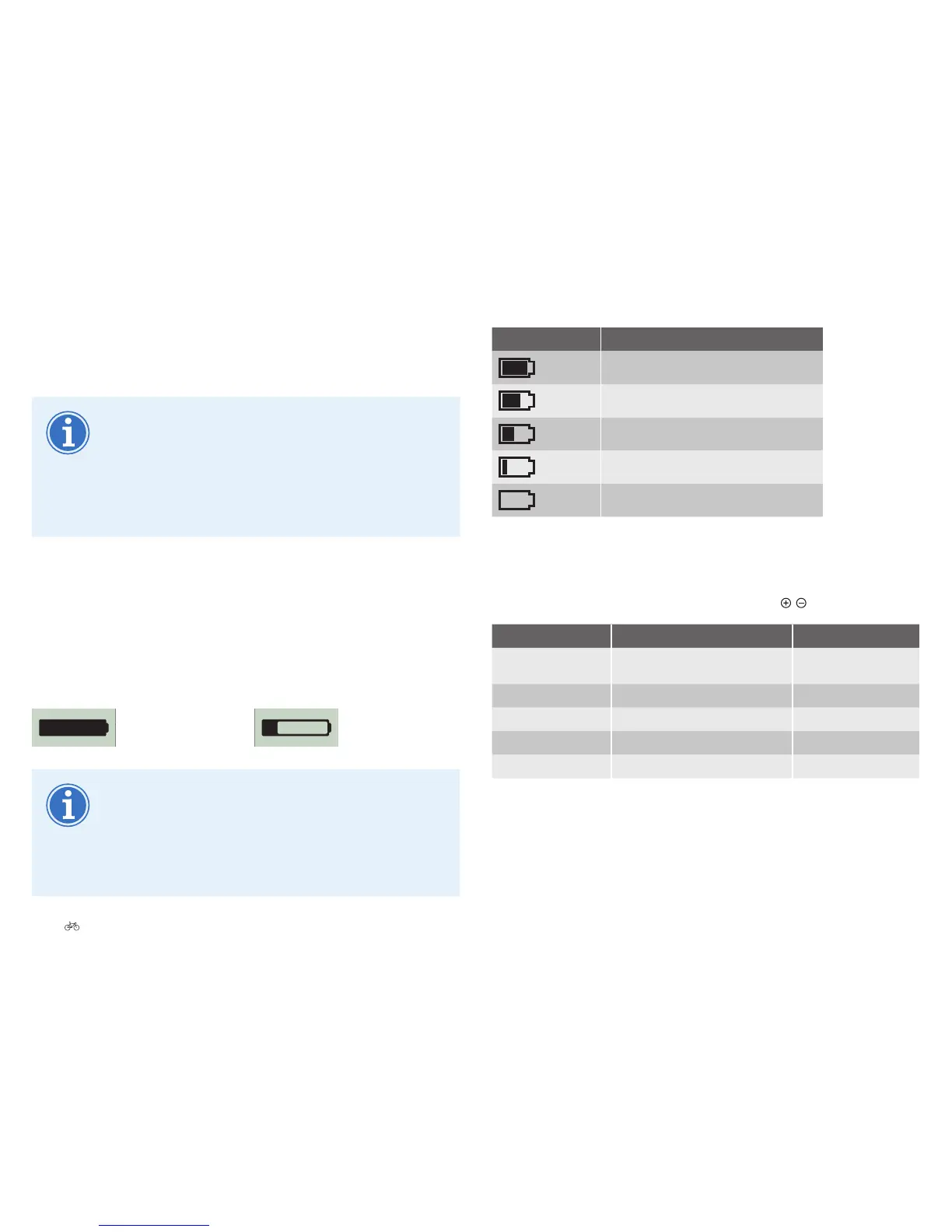
Symbol Battery charge level
100–75%
74–50%
49 – 25 %
24 – 10 %
0%
6.3.4 Changing assist mode
1. You must be in the start menu to change the assist mode. Select the
assistlevelyourequirebybrieypressingthe
/
buttons.
Display Assist Power consumption
ULTRA
*
Assist function is working with
maximum power
Very high
POWER
Assist function is working hard High
SPORT
Assist is working with medium power Medium
ECO
Assist is working with low power Low
OFF
No assist Very low
2. Assist starts working as soon as you start pedalling. Assist cuts out
as soon as you stop pedalling or when you have reached a speed of
25 km/h.
Via the battery
1. Brieypressthebatterybuttontwice.TheImpulseEvosystem
switchesoafterafewseconds.
YoucanswitchoyourImpulseEvo/ImpulseEvoNext
pedelec from any level in the menu. The start menu does not
need to be displayed for this.
Thelastconguredsettingsremainsaved.
If the pedelec remains stationary for 10 to 20 minutes, the
ImpulseEvo/ImpulseEvoNextswitchesitselfo.
6.3.3 Battery charge level and remaining range
The battery charge level and remaining range are shown in the top of the
display. A battery-shaped icon shows the remaining range, telling you how
long the Impulse Evo system can continue to assist you. The lower the
battery charge level, the shorter the black part in the battery. The range
also shows a lower value. When the charge level of the battery falls below
a minimum, motor assist also cuts out.
High battery charge level
and long remaining range
Measurements are taken whilst the cycle is being ridden.
The display calculates an average value from the readings
of the last 20 kilometres ridden. This value is then used as
the basis for the remaining range. So the remaining range
displayed is heavily dependent on the riding style over the
last 20 kilometres.











 To Next Page