EN-96 Original User Guide | Pedelec Impulse Evo / Impulse Evo Next Version 4
11. Fault
11.1 Drive unit, display and easy-reach control
Description Cause Remedy
Display does not light up and is not
functioning, no motor assist.
a) Battery is in Sleep mode. a) Wake battery from Sleep mode 9.3.1.3 Sleep mode Page EN-85.Ifthebatterydoesnotrespond,briey
connect it to the battery charger 10.3.1 Charging a battery Page EN-93.
IfthebatterystilldoesnotrespondortheLEDsashinanunusualway,thebatteryisdamagedand
must be removed from the charger.
b)Batteryatordefective b) Insert a new or fully charged battery 10.3.1 Charging a battery Page EN-93.
c) The pedelec is OFF. If the
drive unit is not required to
deliver power for a longer
period (because the pedelec
is stationary for example), the
Impulse Evo / Impulse Evo Next
switchesobyitself.
c) Switch on the pedelec 6.3.1 Switching on the pedelec Page EN-49.
d) Ambient temperature too high/
low.
d)Thepermittedambienttemperaturerangeduringoperationofthebatteryisinrange-10to+40˚C.
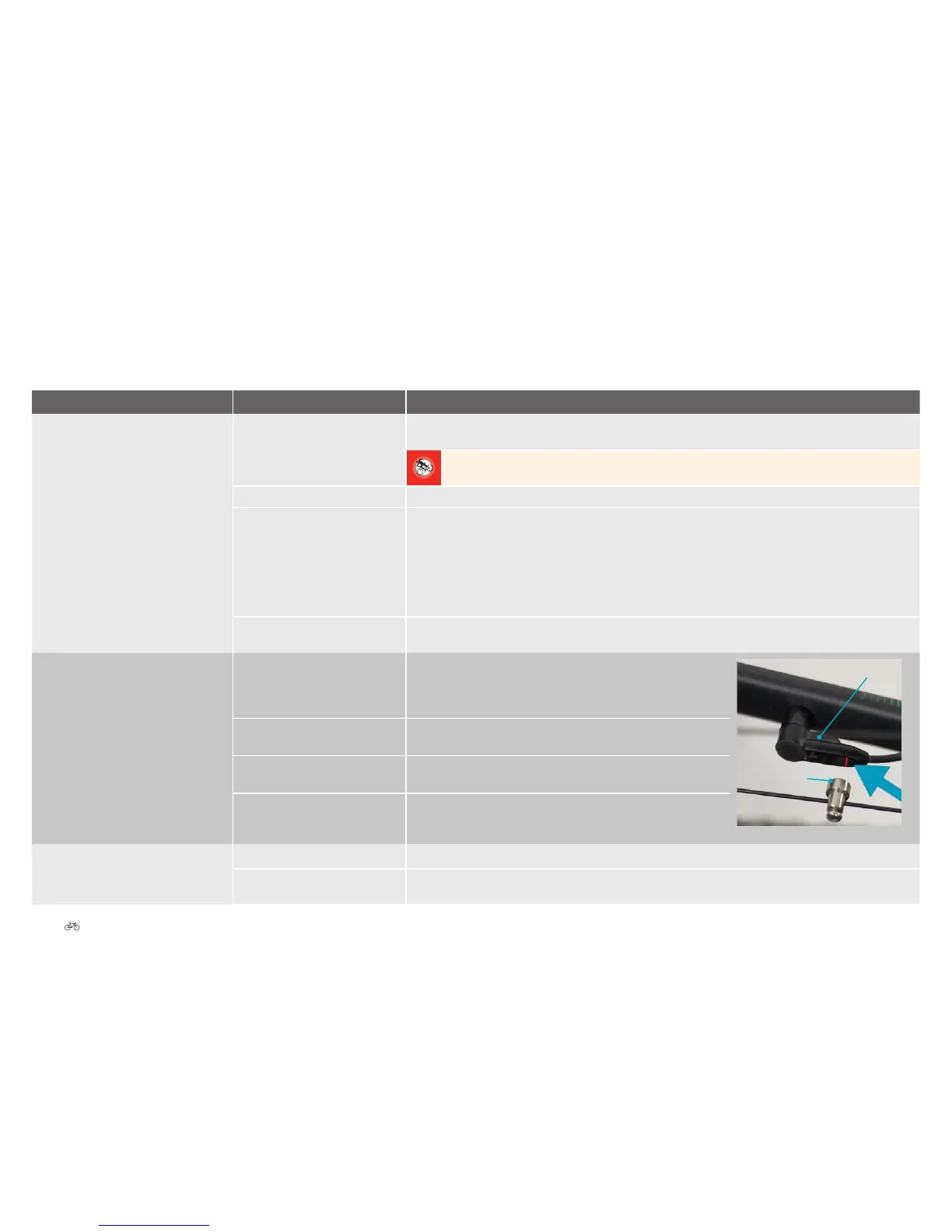
There is no speed display. a) The spoke magnet has slipped. a) Check whether the spoke magnet has slipped. It should be as
close as possible to the speed sensor on the chain stay (max.
10 mm). Align the magnet with the marker point on the speed
sensor.
Spoke magnet
Speed sensor
b) The speed sensor is faulty. b) Contact your cycle dealer to have the speed sensor replaced.
c) Spoke magnet missing. c)Contactyourcycledealer.Theycantanewspokemagnettoyour
pedelec.
d) Speeds below 10 km/h are not
always displayed due to the
inertia of the system.
d) Check whether a speed is displayed when riding at a higher
speed. If that is the case, the display is not faulty.
Speed display incorrect a) Incorrect unit set. a) Check the mph and km/h settings 6.4.3.7 Unit Page EN-62.
b) Wheel circumference setting
incorrect.
b) Set the correct wheel circumference 6.4.3.13 Wheel circumference Page EN-64.











 To Next Page