Original User Guide | Pedelec Impulse Evo / Impulse Evo Next Version 4 EN-77
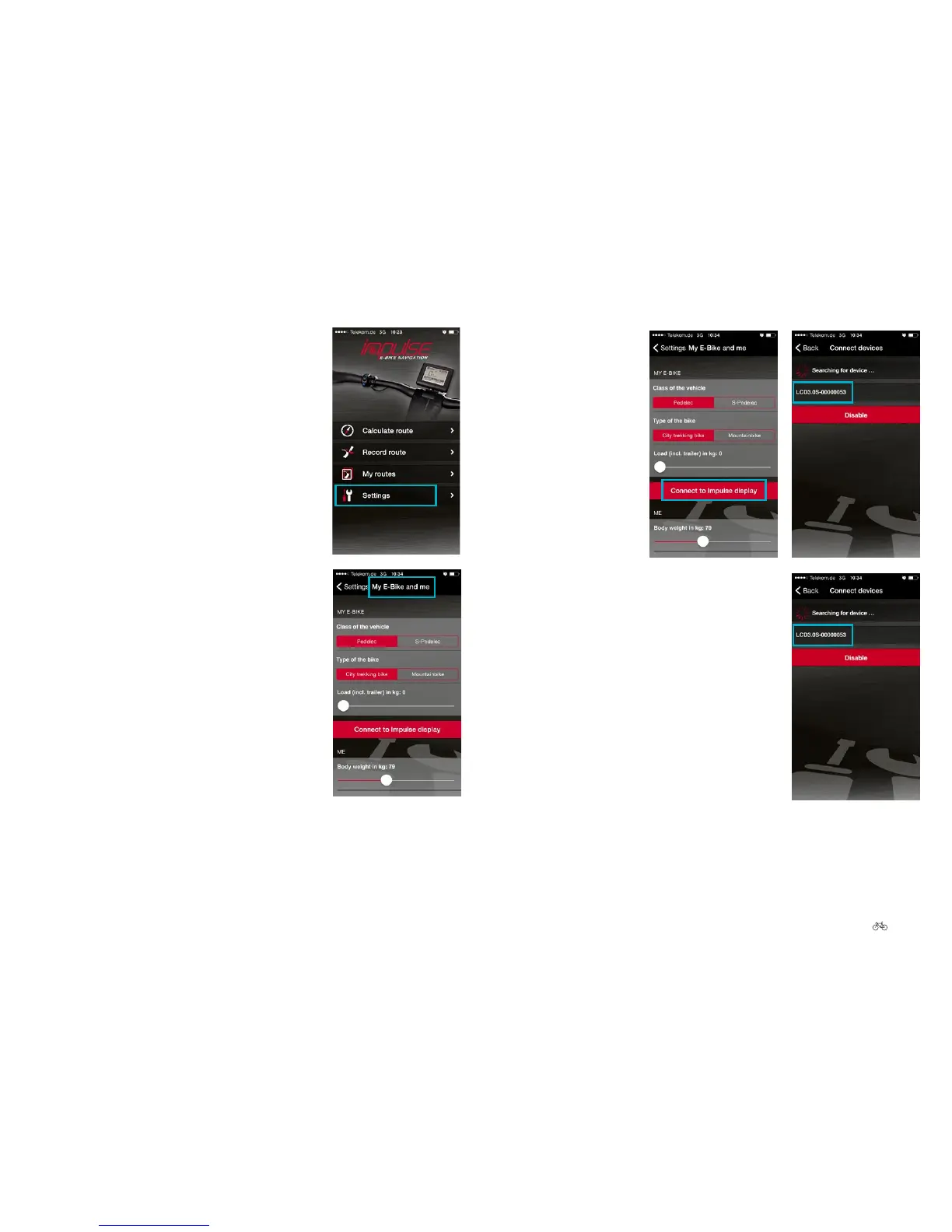
4. Go to “Settings”.
5. Select “My E-Bike and me”.
6. Select “Connect to
Impulse display”. The
app starts to look for
the pedelec. After a
short time, all
Bluetooth-enabled
pedelecs are
displayed in the form
of a number
combination.
7. Select the pedelec you want to connect to
your smartphone. The number of your
pedelec is on the back of the display. This is
an 8-digit serial number. Use the last digits of
the number.











 To Next Page