DS2460Q QAM Analysis Meter Operation Manual
50
4.6 BER Statistics Measurement
Press to return to main menu interface, and
press the arrow key to choose BER icon, and then
press to enter BER statistics measurement.
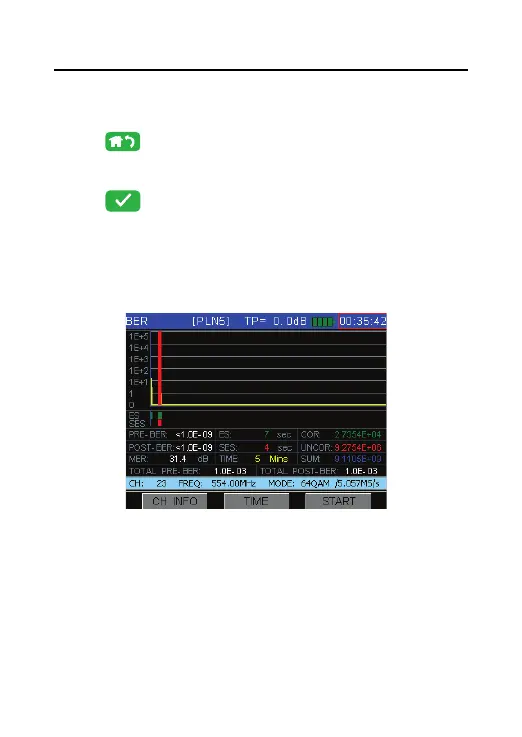
DS2460Q is able to make BER statistics during set time,
the user can get MER, BER, ES, SES, COR, UNCOR,
SUM bits and TOTAL BER as Figure 4-38.
Figure 4-38



 To Next Page