DS2460Q QAM Analysis Meter Operation Manual
59
4.8 Channel Scanning
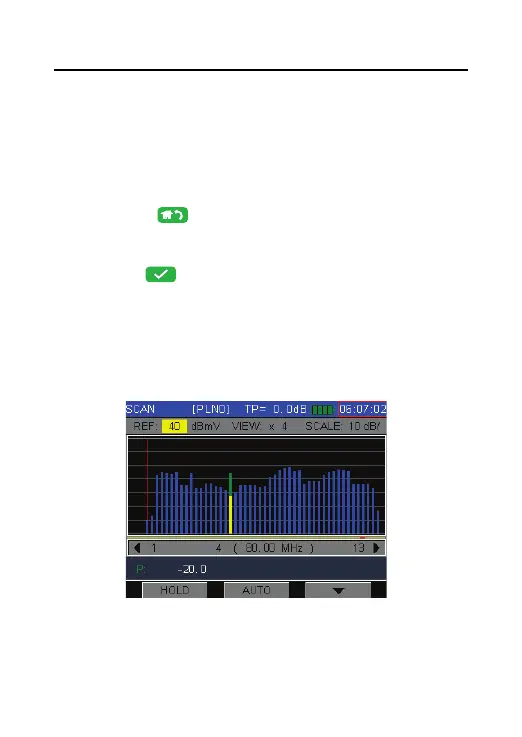
DS2460Q support channel scanning function in order
to test the flatness and amplitude of cable TV system
quickly. Press
to return to main menu interface
and press arrow keys to select the SCAN icon, and
then press to enter Channel Scanning function
as Figure 4-44. The scanning graph of current user
plan is displayed on the screen, a slider in red color
shows the current scanning channel.
Figure 4-44



 To Next Page