Dexcom G6
®
System User Guide
157Chapter 10: Alarm and Alerts
Receiver: Customizing Alerts
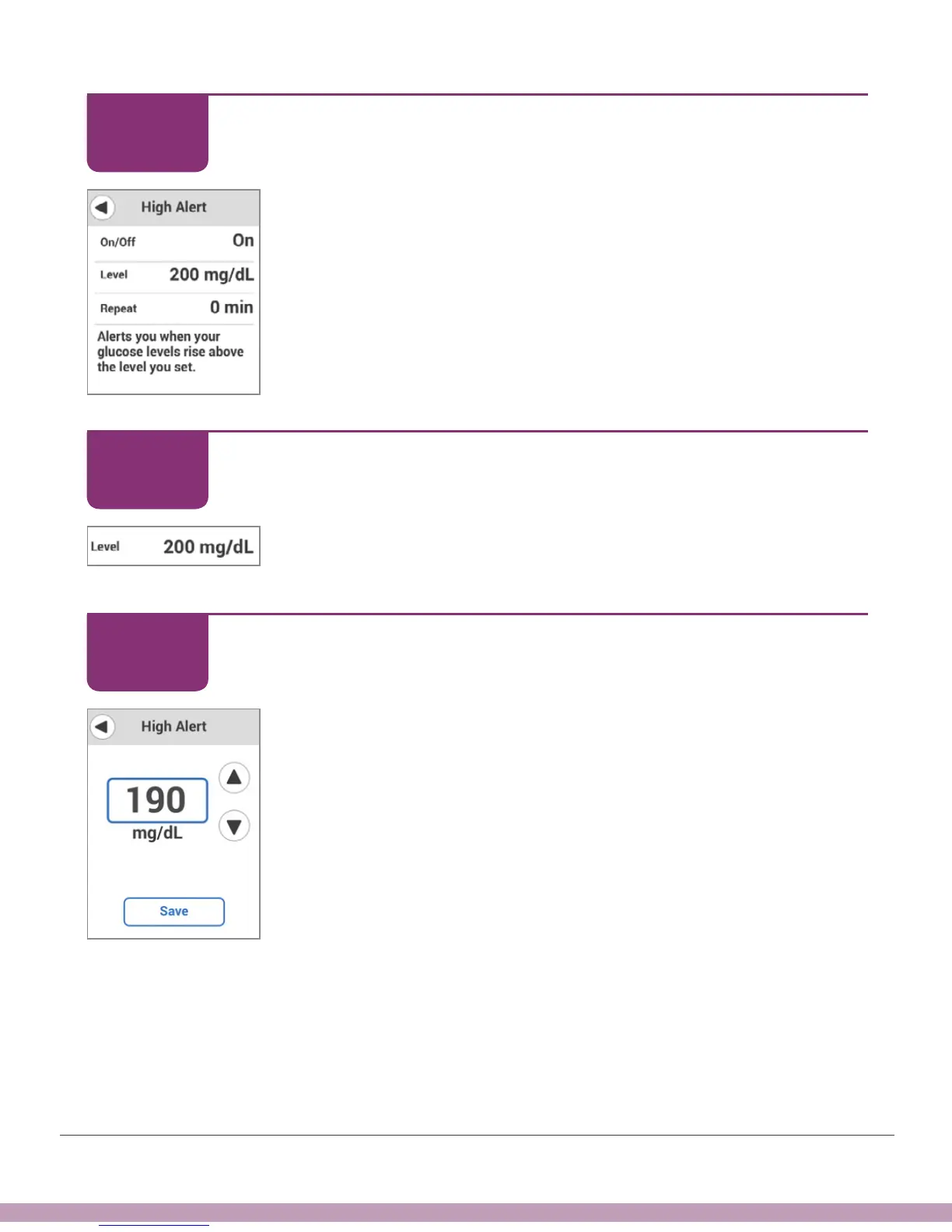
Check High Alert is on.
Description
This screen shows your current High Alert settings.
Receiver: Customizing Alerts
Tap Level to set the High Alert level.
Receiver: Customizing Alerts
Tap arrows – in this example, the down arrow, to 190mg/dL –
to change the High Alert.
STEP
5 of 12
STEP
6 of 12
STEP
7 of 12



 To Next Page