Version 1.2.0 - 04.02.2013
15
Components
Specifications and design are subject to change without notice. The content of this document is for information only. The information presented in this document does not form part
of any quotation or contract, is believed to be accurate and reliable and may be changed without notice. No liability will be accepted by the publisher for any consequence of its use.
Publication thereof does neither convey nor imply any license under patent rights or other industrial or intellectual property rights.
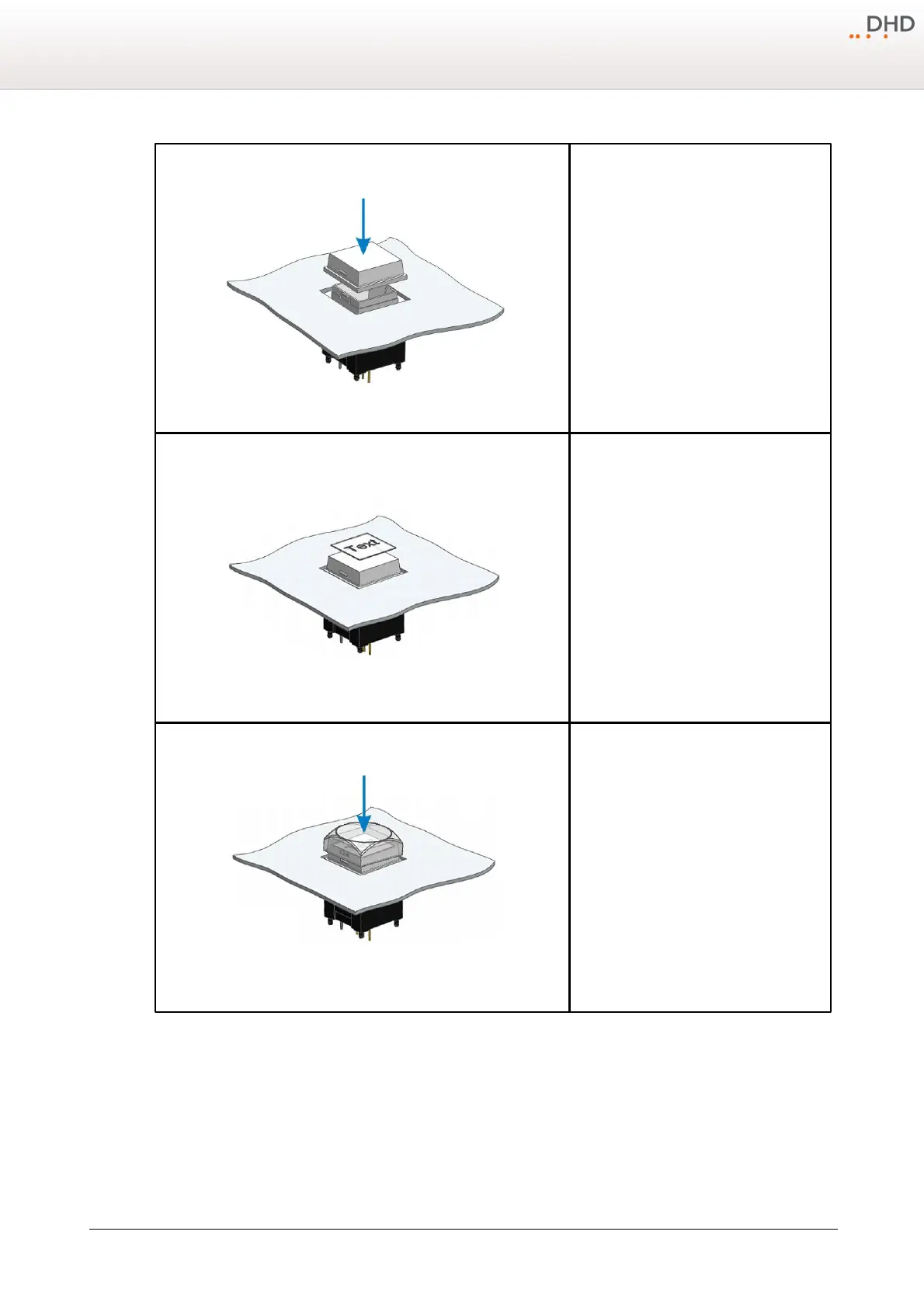
4.
Put the diffuser on the main push-button part
and push it down until the snap-fits click into
their positions. Please make sure, that the
snap-fits are located on the right and left
hand side.
5.
Put a transparent film label (dimensions 12
mm x 12 mm) on the diffuser.
6.
Put the cap over the film label and the
diffuser and push it down until the snap-fits
click into their positions. Please make sure,
that the snap-fits of the cap are located on
the left and right.



 To Next Page