DG-SC2100/DG-SC2100W User Manual
104
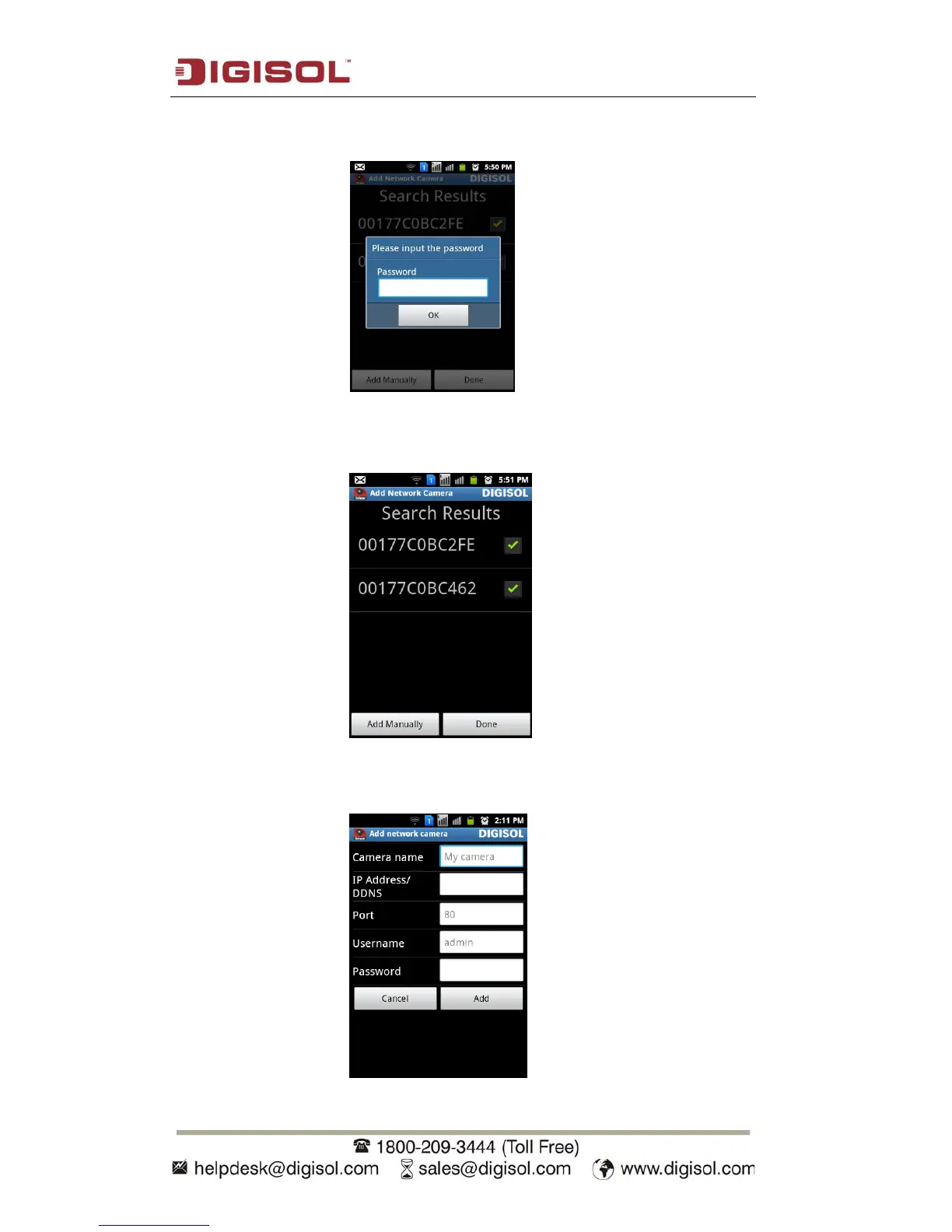
Once the IP cameras are detected on Auto-discovery, select the IP camera. It will
prompt you to input the IP camera password.
After entering the password, click on OK. Similarly add the other IP cameras. You
will see a green check mark against the added IP cameras.
Step 10: If you want to add a Digisol IP camera on Internet, please click ‘Add
Manually’ button to abort and setup IP camera manually.


 To Next Page