DG-SC2100/DG-SC2100W User Manual
96
5.3 DMZ Settings
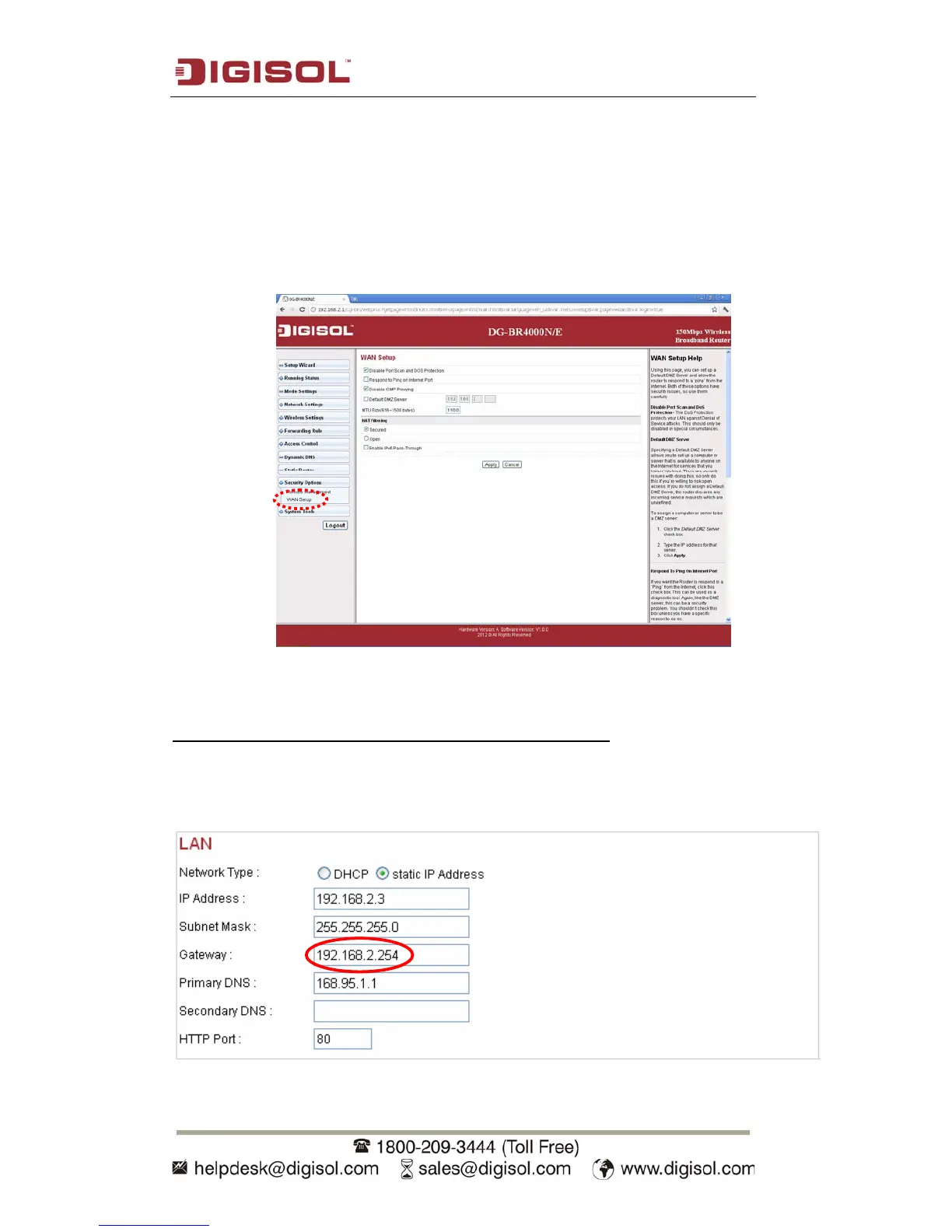
1. If IP CAM is the only service you wish to access from Internet, you can also
use ‘DMZ’ function to access IP CAM:
Simply put the IP address of IP CAM in Static IP field and you can access IP
CAM from the IP address of your router directly.
Corresponding settings on the IP camera for section 4.4:
In the IP CAM enter the IP address of the router in the gateway field (shown below).
Ensure that the router and IP Camera are in the same subnet.



 To Next Page