DG-SC2100/DG-SC2100W User Manual
47
you’re using in your Email software (like Outlook, Outlook Express
etc.), or check with your network administrator or ISP.
User Name Please input the user name of SMTP server here, if your SMTP
server requires the use of authentication.
Password Please input the password of SMTP server here, if your SMTP server
requires the use of authentication.
Click ‘Apply’ to save settings and make the new settings take effect.
Once configured, click ‘Send a test email’ to verify the email setting.
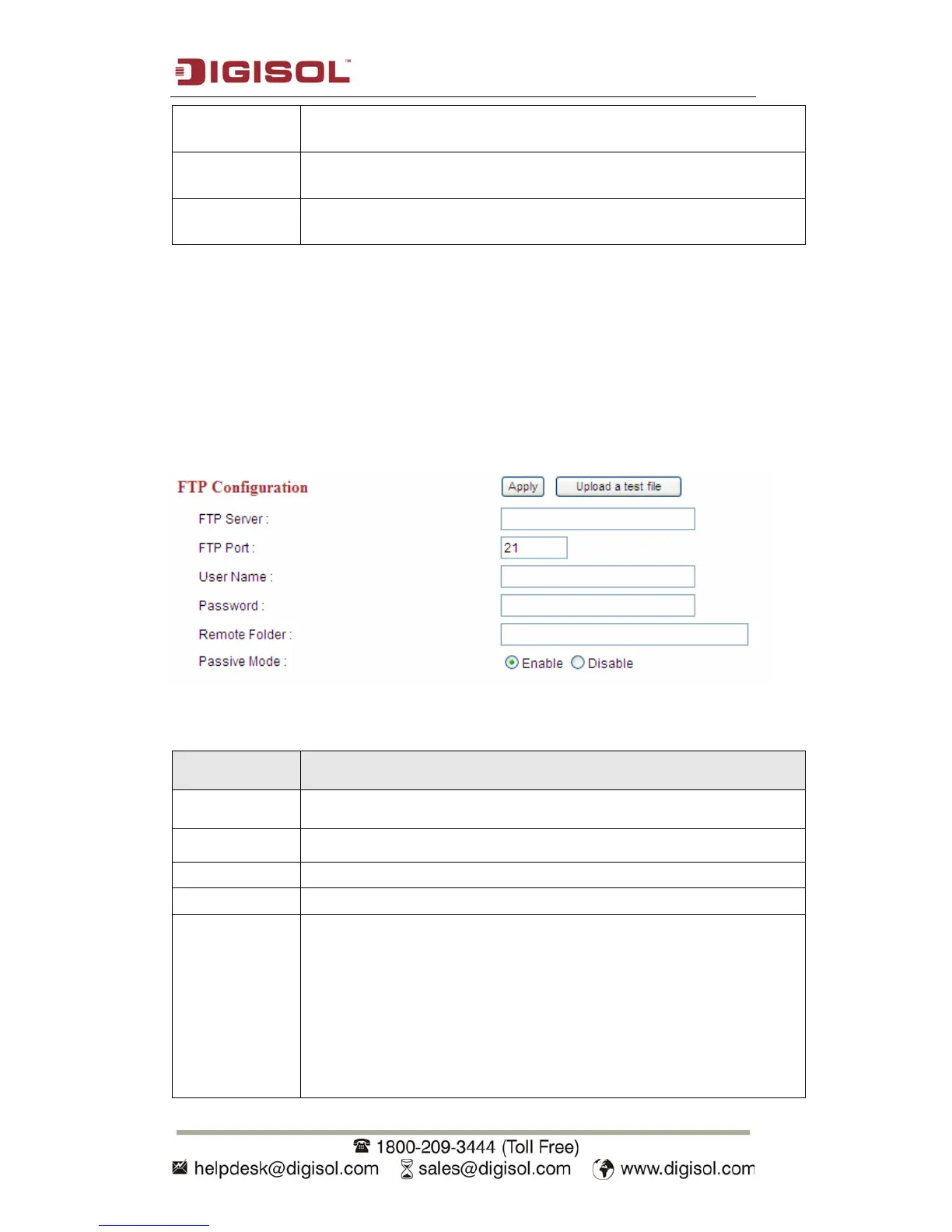
2.5.2 FTP Settings
These settings are used to send the captured picture by FTP:
The settings in this menu are described below:
Item Description
FTP Server Input the IP address or host name of the FTP server.
FTP Port Input the port number of the FTP server here.
User Name Input the user name of the FTP account here.
Password Input the password of the FTP account here.
Remote Folder Input the remote folder’s name provisioned in the FTP server here. If
nothing is specified here, all uploaded image files will be placed in
FTP server’s root directory.
Please check with the FTP server’s administrator for the folder name
that can be used to store the images from the IP Camera. This is
required as the folders in the FTP servers may be secured with access
(read / write) permissions.



 To Next Page