DG-SC2100/DG-SC2100W User Manual
73
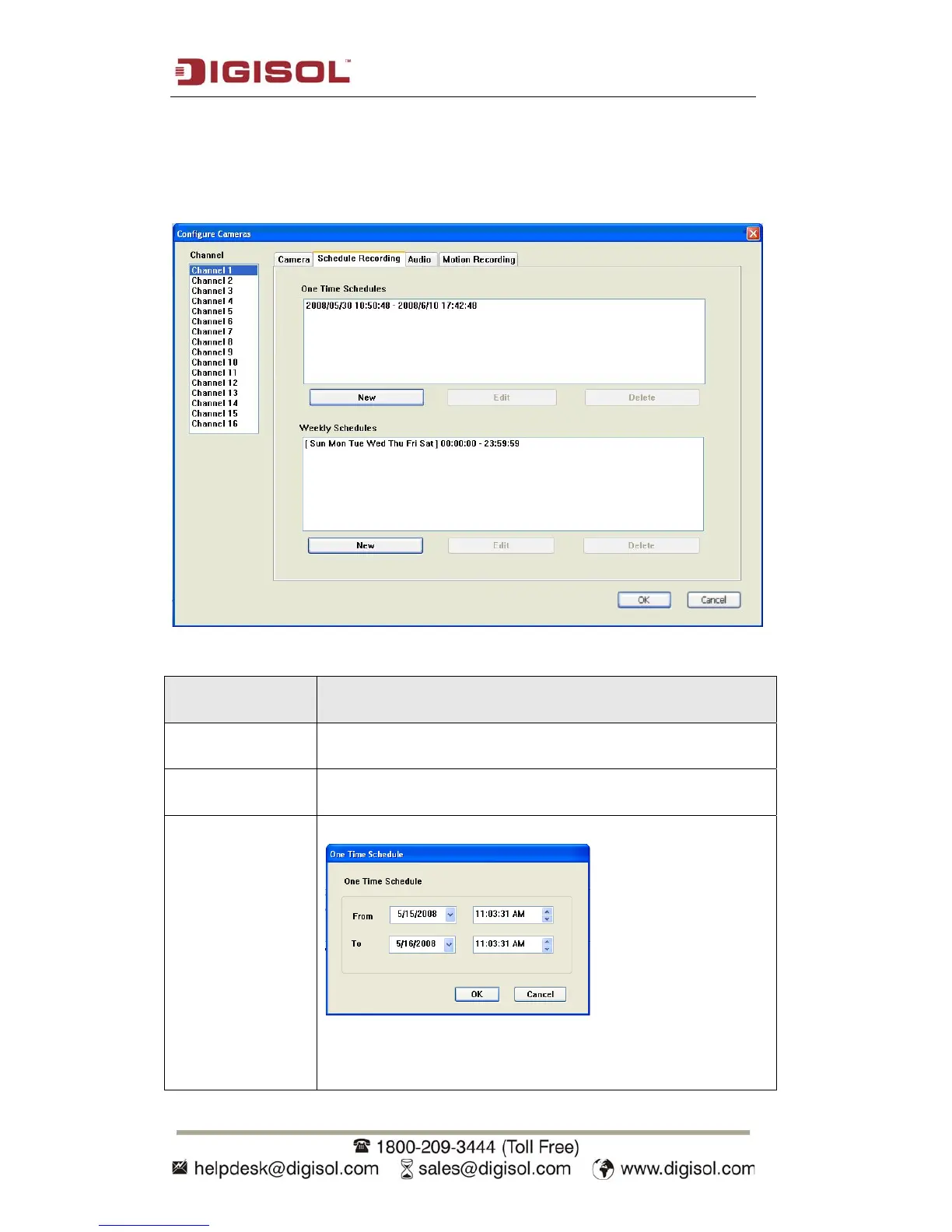
3.3.1.2 Schedule Recording
In this tab, schedules for recording video captured by the IP Cameras can be pre-
defined.
The descriptions of the settings are mentioned below:
Item Description
Channel Select the channel number for which you wish to schedule the
recording.
One Time
Schedules
You can specify the one-time schedule for selected camera;
this schedule will be executed once only.
New
(One Time
Schedules)
Click this button and a new window will appear:
Please specify the time duration of this one-time schedule (the
date and time of ‘From’ and ‘To’), then click ‘OK’ to save
settings.



 To Next Page