DG-SC2100/DG-SC2100W User Manual
74
Please note you must set a schedule that will happen in the
future, you cannot set a schedule in the past.
Edit You can modify a scheduled recording item. Select a schedule
in ‘One Time Schedules’ list, and click ‘Edit’ button to edit the
start and end time of this schedule.
Delete Delete a selected schedule item.
New
(Weekly
Schedules)
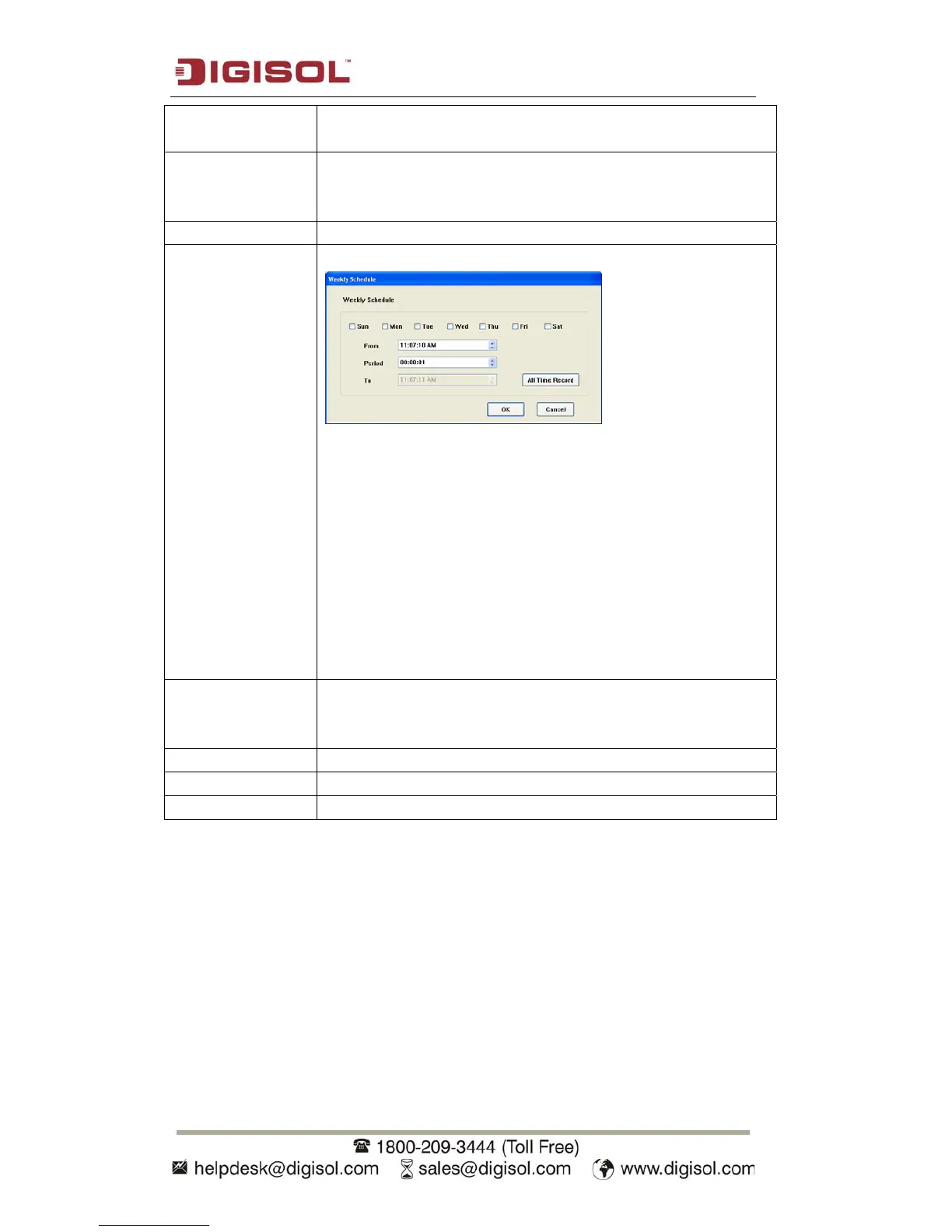
Click this button and a new window will appear:
You can define recording schedule that will be executed at the
specified time of certain day(s) in a week. Please check all
weekdays that apply, and set the start time in ‘From’ field. You
can set the duration of video recording in ‘Period’ field
(format is HH:MM:SS), and the end time will be calculated
automatically and displayed in ‘To’ field. You can also click
‘All Time Record’ button to define a recording schedule that
will be executed every weekday, from 12:00:00AM to
11:59:59PM.
Click ‘OK’ to save changes.
Edit You can modify a scheduled recording item. Select a schedule
in ‘Weekly Schedules’ list and click ‘Edit’ button to edit the
start and end time of this schedule.
Delete Delete a selected schedule item.
OK Save settings in this tab.
Cancel Discard all settings in this tab.



 To Next Page