DG-SC2100/DG-SC2100W User Manual
94
5. IP Camera behind a router/firewall – Sample Configuration
If this IPCAM is not directly connected to Internet (behind router or firewall), you’ll
need to setup your router / firewall so you can access this IPCAM from other
computers on Internet.
The following instructions describe how to configure your router or firewall device so
that IPCAM can work with them. These instructions are based on a commonly-
available residential router and these setup techniques should be easy to apply on any
other similar devices as well.
5.1 Setup Dyndns Dynamic IP address Mapping
1.
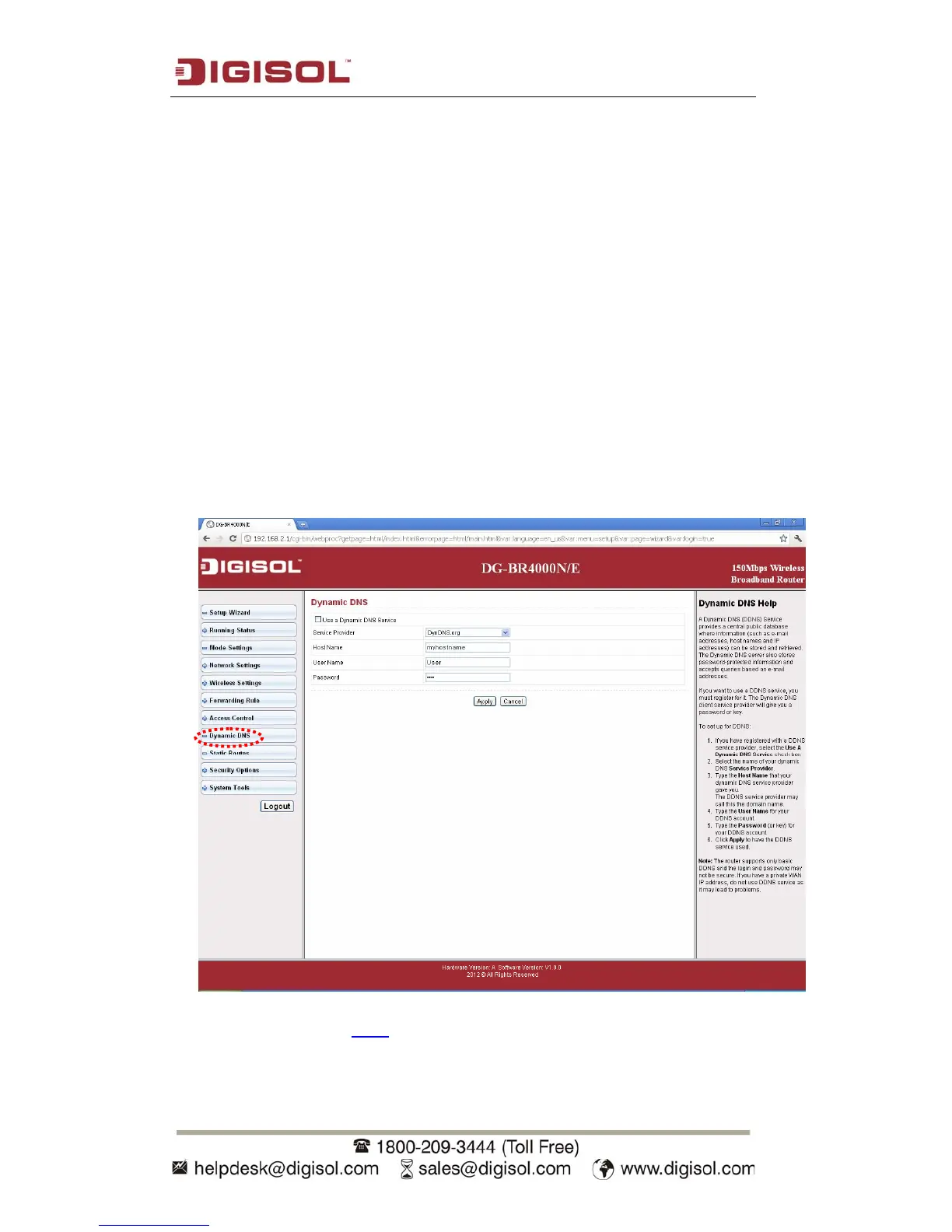
Go to your router’s setup page, and locate ‘DDNS’, ‘Dynamic DNS’, or similar
setup items.
2. Refer to last chapter (Sec 4) and obtain a Dyndns account, password, and domain
name.



 To Next Page