DG-SC2100/DG-SC2100W User Manual
20
All camera-related information will be displayed here. If you wish to connect to a
certain camera by web browser, double-click the camera listed here.
Search camera: Click this button to search all cameras on the local area
network again.
Browse camera via web: Select a camera from the displayed list, and then
click this button to connect to the camera by web browser.
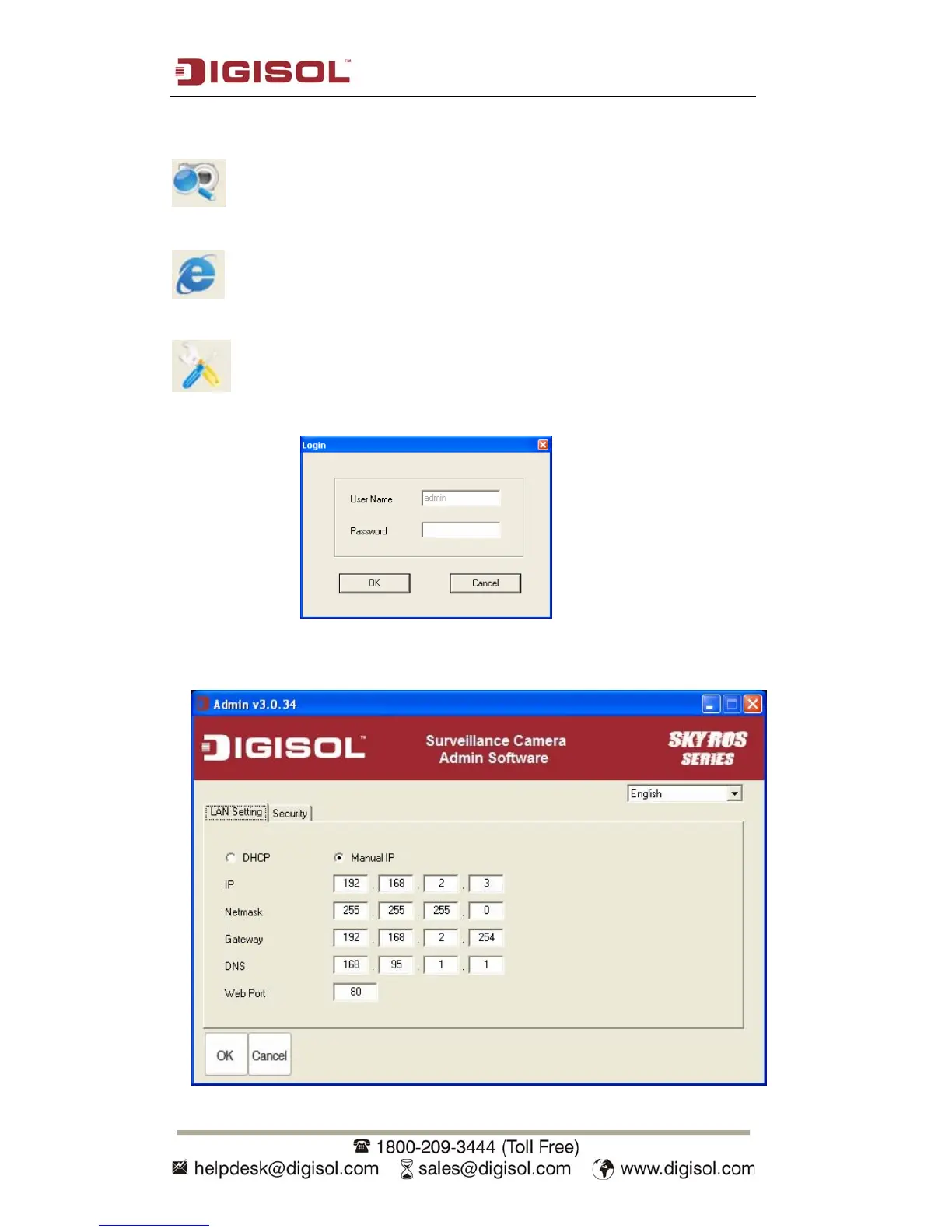
Configure camera: Click this button to configure camera’s network and
security setting. You’ll be prompted to input camera’s password:
Input the password (default: 1234) and click OK to configure the camera’s network
and security settings:



 To Next Page