DG-SC2100/DG-SC2100W User Manual
92
4. You should now be logged into the No-IP.com members section. Here you can
create a hostname that you will use to connect to your server.
A hostname is used instead of your IP address whenever you want to connect to a
service at your location. Hostnames take the form of hostname.domain.com so
they're the same as names used in URLs to surf the web etc.
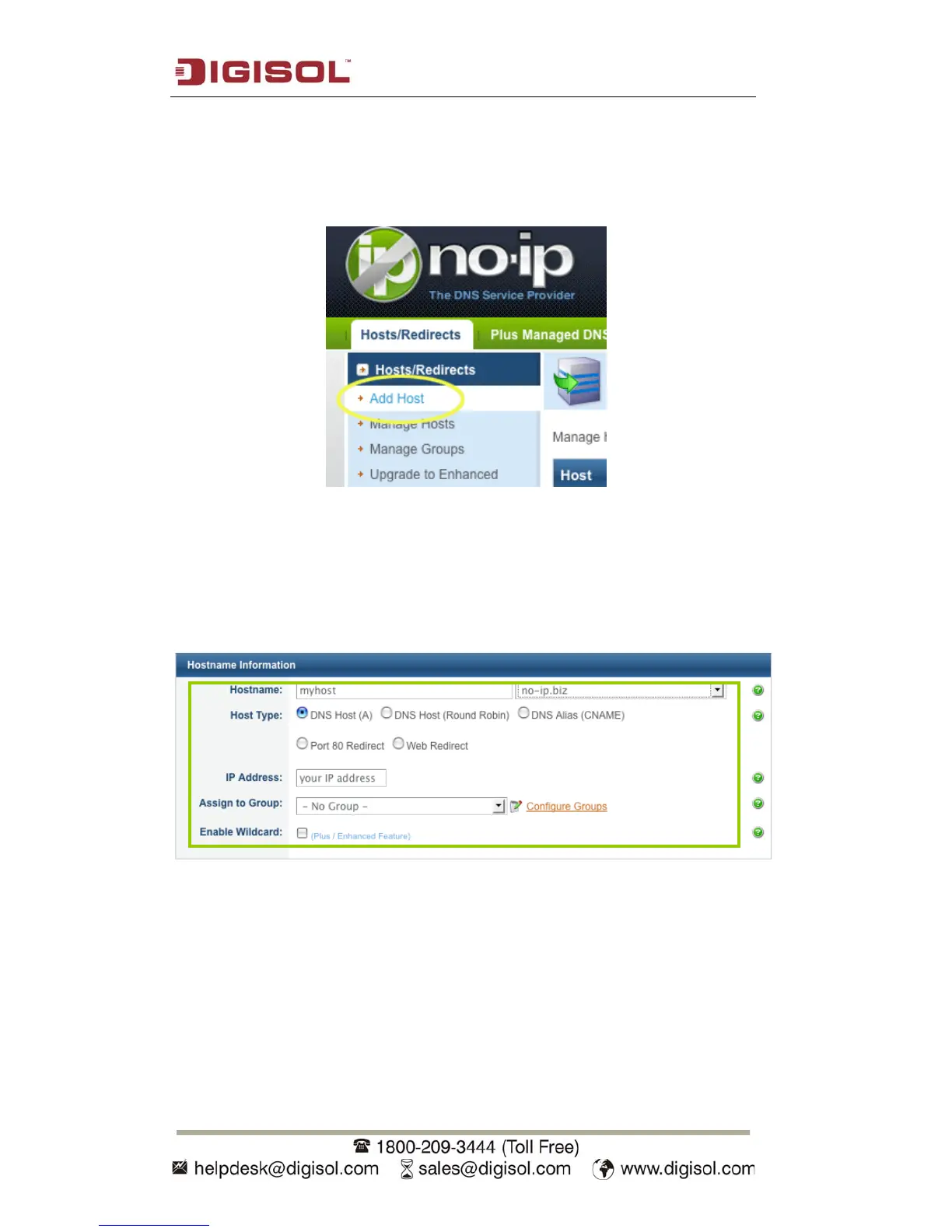
In order to add a host to your account, select the "Add Host" link from the
"Hosts/Redirects" menu. This will bring up the Add a Host page.
5. Now you're ready to fill in the details of your new hostname. Here are the steps to
deal with the items on this screen:
Fill in the Hostname: box with a name of your choosing. It can be anything you like.
If you choose a name that's already in use, an error will be generated and you can then
try a different hostname.



 To Next Page