Document No. CO 004844K
8
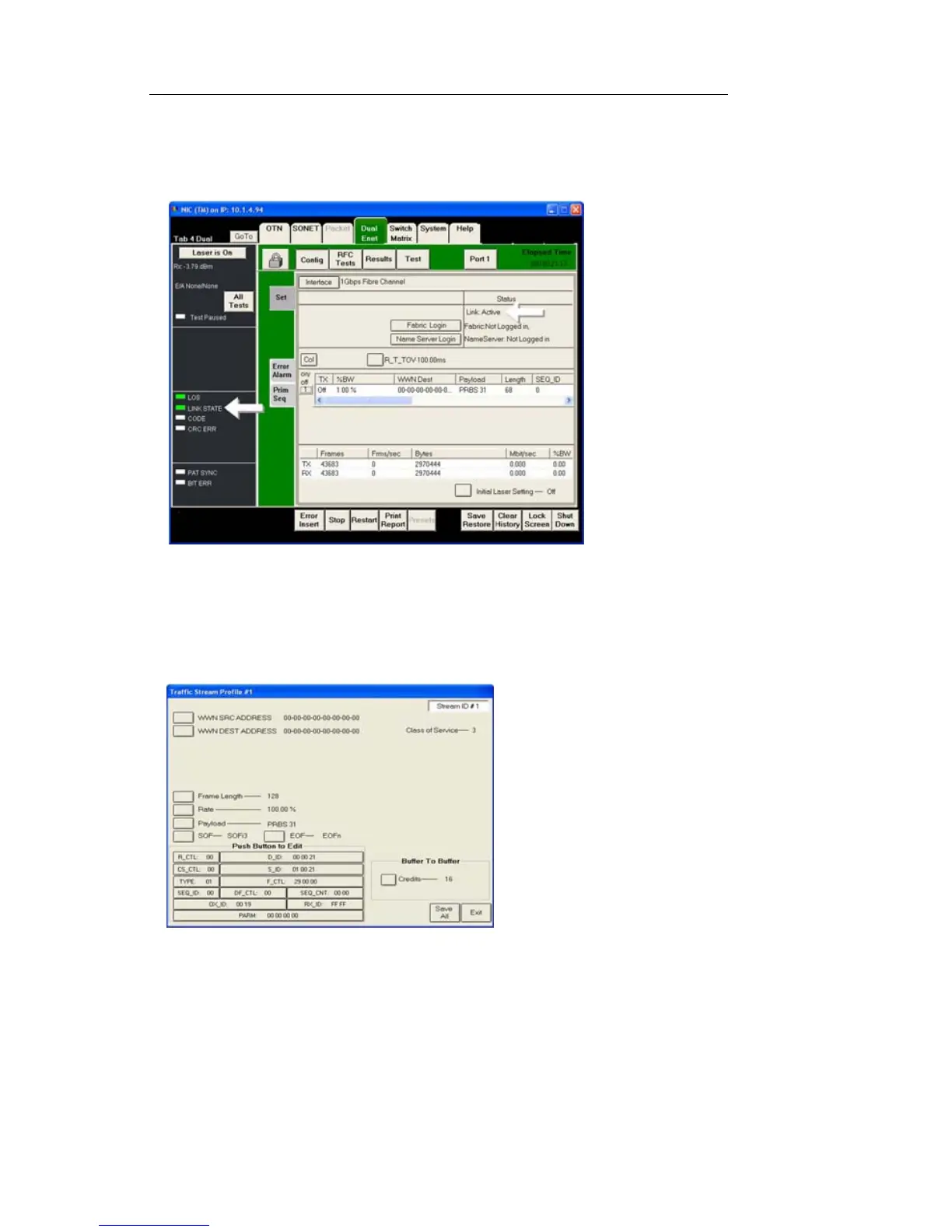
2. The NIC test port and the SAN equipment should quickly establish a
valid Link State. This will be indicated by message “Link: Active”
under the Status section in the Config/Set screen, and also the Link
State LED should be green. See Figure.
3. Select the stream to open the Traffic Stream. The stream is in the cen-
ter of the Config/Set screen. Click anywhere in the white area to the
right of the on/off button.
4. You will now see the Traffic Stream Profile dialog box. See Figure.
5. Enter the following information if required:
• Correct WWN Source and Destination addresses
• Frame Length
• Rate
• Payload test pattern
• Start of Frame (SOF)


 To Next Page
 Loading...