NIC Quick Reference Guide
25
Optical Interfaces
For reliable operation and testing, optical fiber interfaces must
be clean and in good condition. This section provides informa-
tion on cleaning and proper care of fiber optic interfaces, cables
and modules.
Never, under any circumstances, look into an unter-
minated fiber.
Pluggable Optics Modules
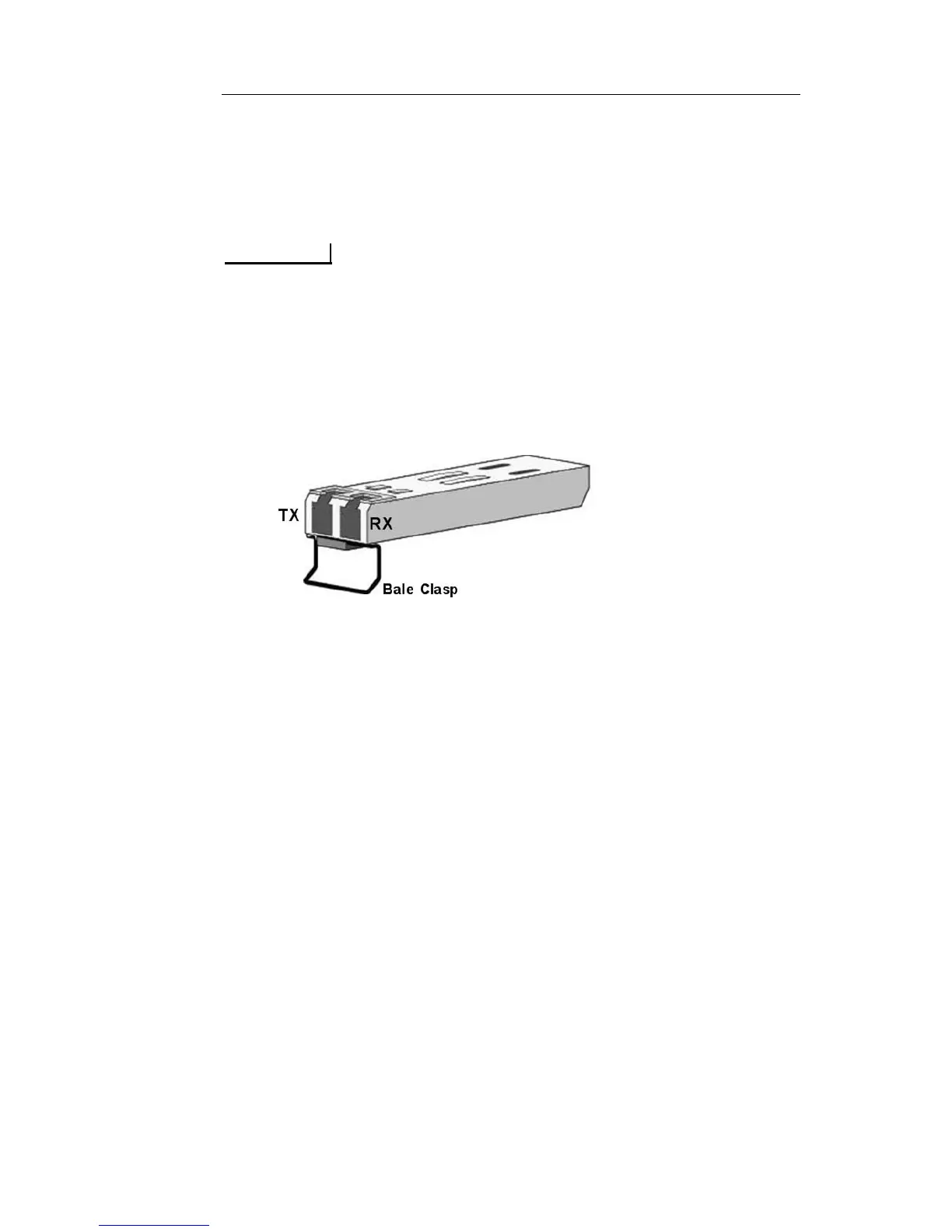
Some NIC modules utilize pluggable SFP/XFP optical trans-
ceiver modules. See figure.
Use only the modules supplied with the NIC product. Replace-
ments or additional modules can be obtained through Digital
Lightwave sales.
SFPs and XFPs are hot-swappable. They can be removed or
inserted while the NIC is running. The modules are fragile and
are static sensitive. Observe the following precautions when
handling the pluggable modules:
• Always keep dust covers in place when fiber patch cords are
not connected.
• Observe standard precautions to prevent electrostatic discharge.
• Store and transport modules only in anti-static packaging.
• Take care not to drop an optical module.
• Protect optical modules from exposure to liquid. If cleaning is
required, utilize only dry, lint-free cloth and swabs.
To remove an SFP or XFP:
• Open the bale clasp with your index finger (If the bale clasp is
obstructed and you cannot use your index finger to open it, use
a small flat-blade screwdriver to open the bale clasp.)



 To Next Page
 Loading...