Both Clock Out ports are always active, regardless of the
Clock In status. The External Clock setting configures the
Clock Out frequency.
Configuring a Protocol Mode
NIC units can be configured to operate in SONET or SDH mode and
E1/E3, DS1/DS3 and E1/DS3 modes, depending on the configuration of
the NIC.
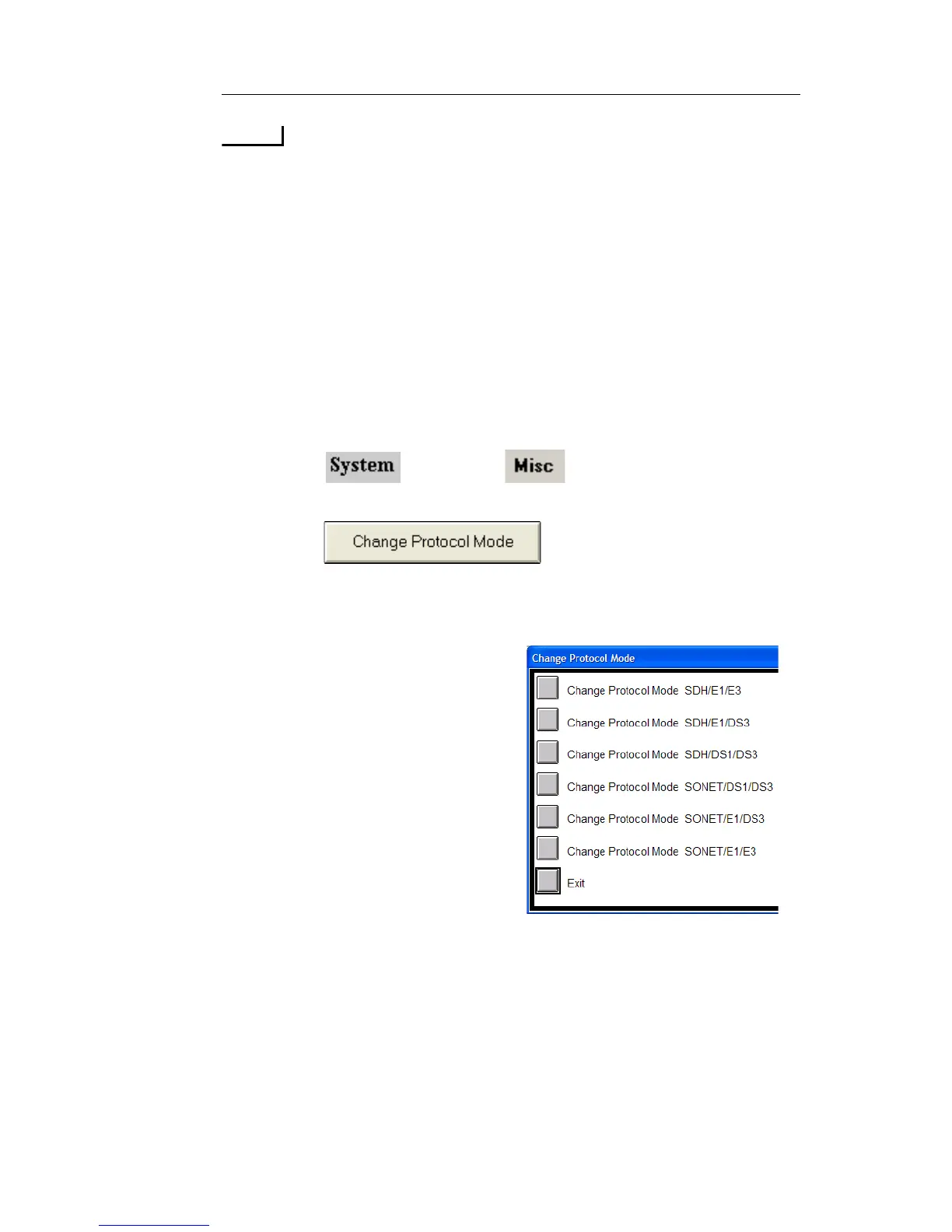
To change protocol processor modes:
1. Select and choose . The System functions
appear.
2. Select . The protocol options appear.
3. Select a protocol processor mode. The touch screen will update to
the protocol processor mode specified.
• Units with SONET/SDH
hardware will have options for
SONET and SDH modes.
• Units with PDH hardware will
have options for E1/E3, DS1/
DS3, and E1/DS3 modes.
• Units with both SONET/ SDH
and PDH hardware will have
combined options for all
modes.



 To Next Page