Document No. CO 004844K
38
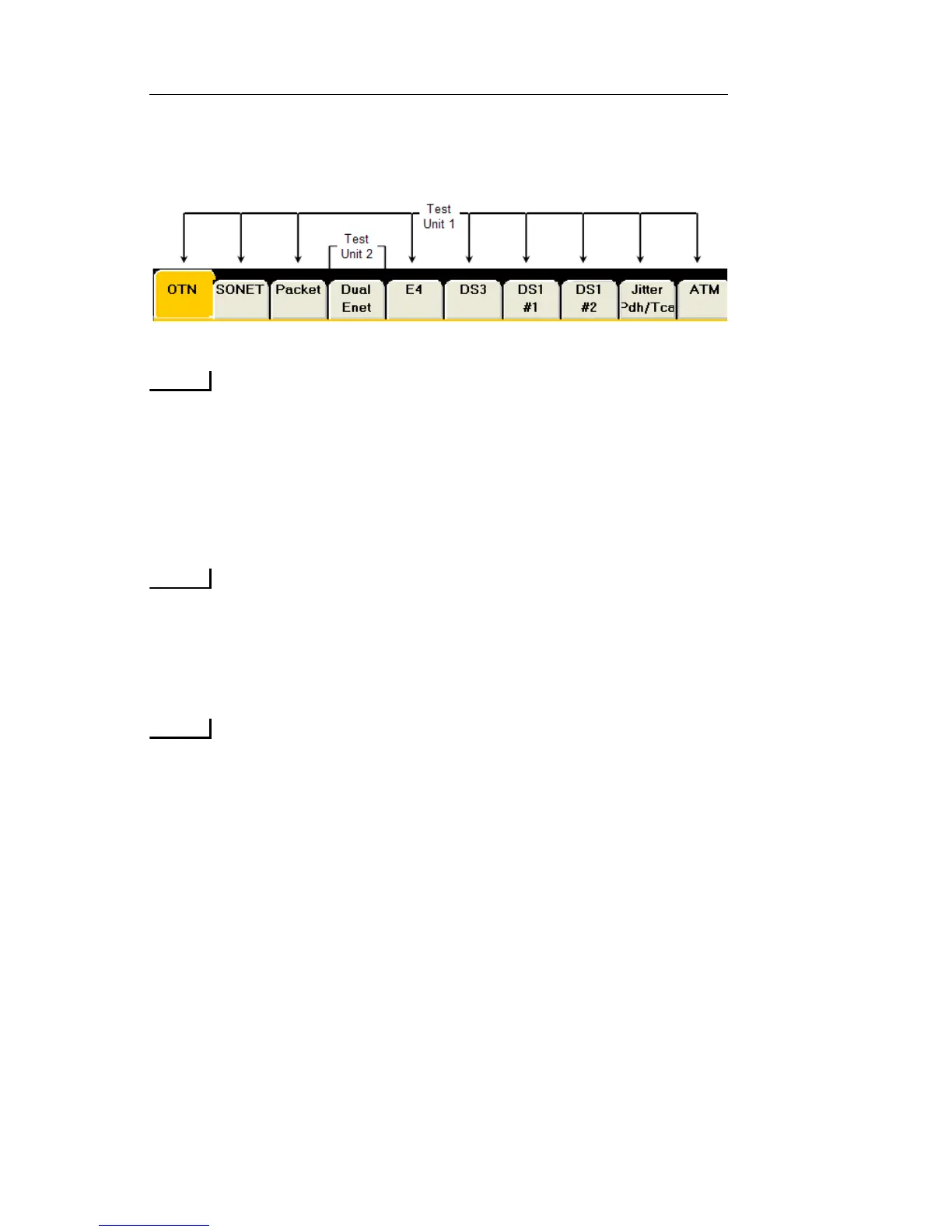
The image below shows a NIC unit with two Test Units. The
first Test Unit consists of the OTN, SONET, PACKET, E4,
DS3, DS1#1, DS1#2 and ATM tabs. the second Test Unit con-
sists of both ports on the Dual Enet tab
.
Some circuit packs however, such as High Density Ethernet,
may contain up to 13 individual Ports under the one protocol
tab (HDEnet). In this case, each individual port is considered
its own Test Unit, since each port is operated independently
of each other and there are no Add/Drop opportunities with
any other circuit packs.
The Add/Drop function from high Interface Rates to lower
Mapping configurations can then be setup between these pro-
cessors using the Preset menu located in the common func-
tion buttons.
When one protocol processor within a Test Unit is Locked or
Unlocked, then all of the protocol processors within that Test
Unit are automatically locked and unlocked as well.
Using the Lock Icon
The test set's multi-user functionality allows multiple simultaneous
users to be connected to a portable test set. This includes a local user via
the test set's touch screen, as well as remote GUI users using the Remote
Control Application, and SCPI script command users.
To prevent users from interfering with each other, an individual user can
“Lock” and take control of a Test Unit. This is done using the Lock
icon that appears on the GUI. Security permission levels determine the
user's ability to lock and unlock a Test Unit. When you lock the Test
Unit, you can configure each of the protocol processors within the


 To Next Page
 Loading...