Document No. CO 004844K
66
Restoring Factory Defaults
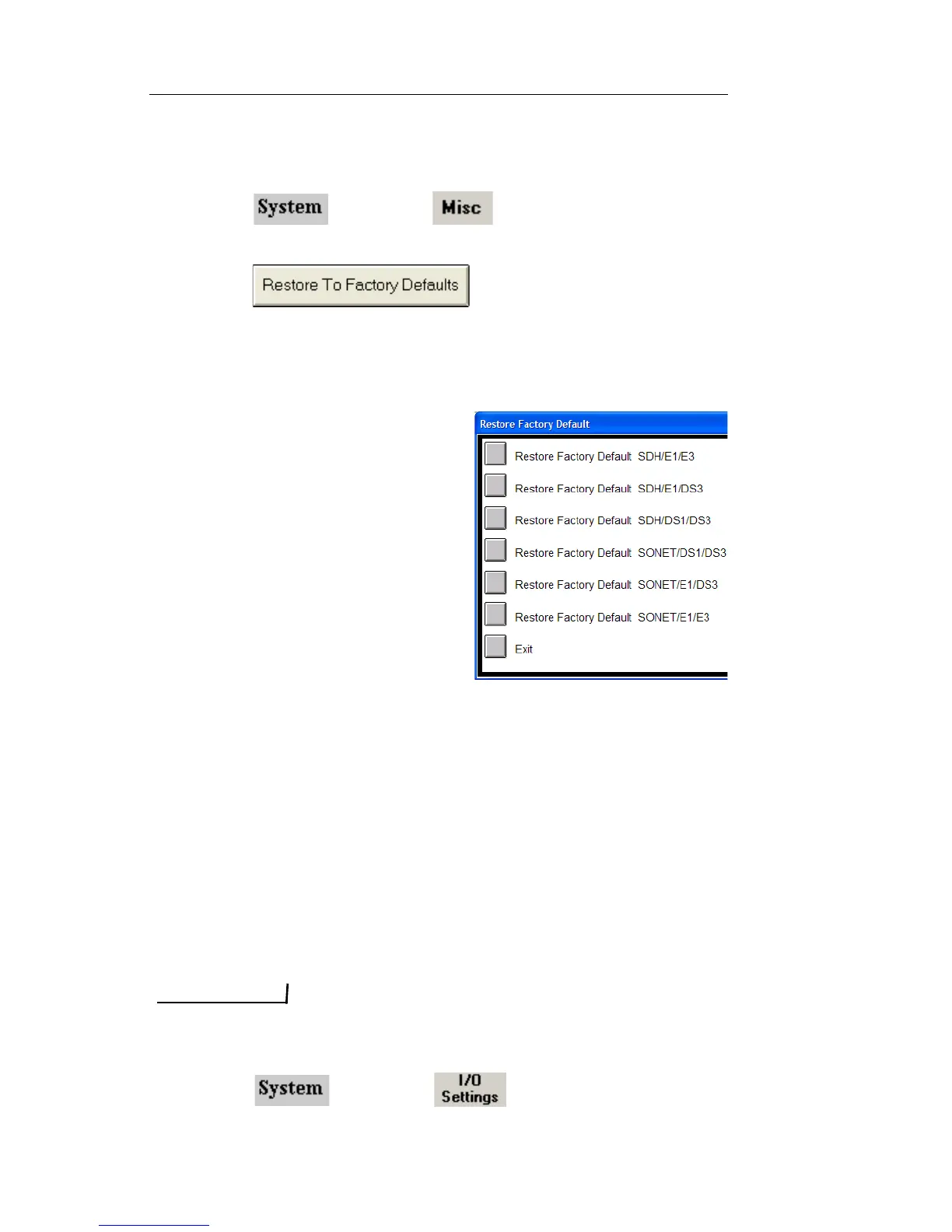
To restore the unit’s factory transmit and receive settings:
1. Select and choose . The System functions
appear.
2. Select . The default options appear.
3. Select the Restore to Factory Default option for the desired proto-
col processor mode that you want the unit to be configure for
when after the defaults have been loaded.
• Units with SONET/SDH
hardware will have options
for SONET and SDH modes.
• Units with PDH hardware
will have options for E1/E3,
DS1/DS3, and E1/DS3
modes.
• Units with both SONET/
SDH and PDH hardware will
have combined options for all
modes.
Configuring the Ethernet Port
The test set can be remotely controlled using the Remote GUI applica-
tion or SCPI script commands through the System Controller’s Ethernet
port. The test set supports dynamic IP addressing, using Dynamic Host
Connection Protocol (DHCP) and static IP addressing.
Configuring Ethernet Parameters
When Ethernet port parameters are changed, the test set must be restarted for
the changes to take affect.
1. Select and choose .



 To Next Page
 Loading...