NIC Quick Reference Guide
67
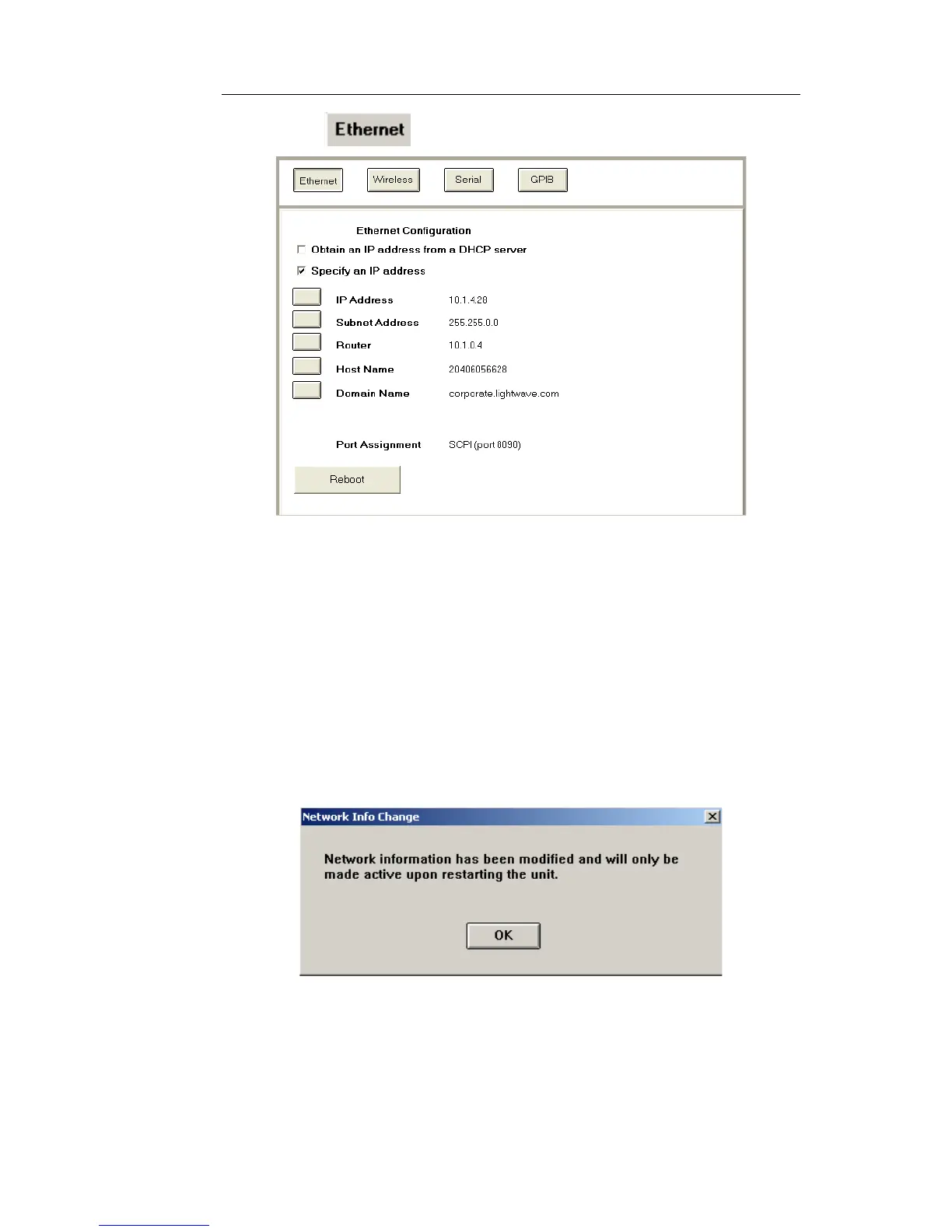
2. Select . The Ethernet Configuration functions appear.
3. Select one of the following:
• Obtain an IP address from a DHCP server
• Specify an IP address
Obtain an IP address from a DHCP server
The test set uses the network’s DHCP server to dynamically assign it an
IP address.
a. Select the Obtain an IP address from a DHCP Server check
box. The Network Info Change dialog box appears.
b. Select OK.
If you decide that you do not want this selection, choose the
Specify an IP address check box and follow the steps for
that option.


 To Next Page
 Loading...