NIC Quick Reference Guide
73
7. Select an alarm type to display the Select All Alarms Sound
dialog box. The new WAV files appear in the dialog box. Only the
first 16 sounds will appear in the selection window. The sound
files that appear use the WAV file's name.
8. Select Apply. The Alarm Beep Definition window closes.
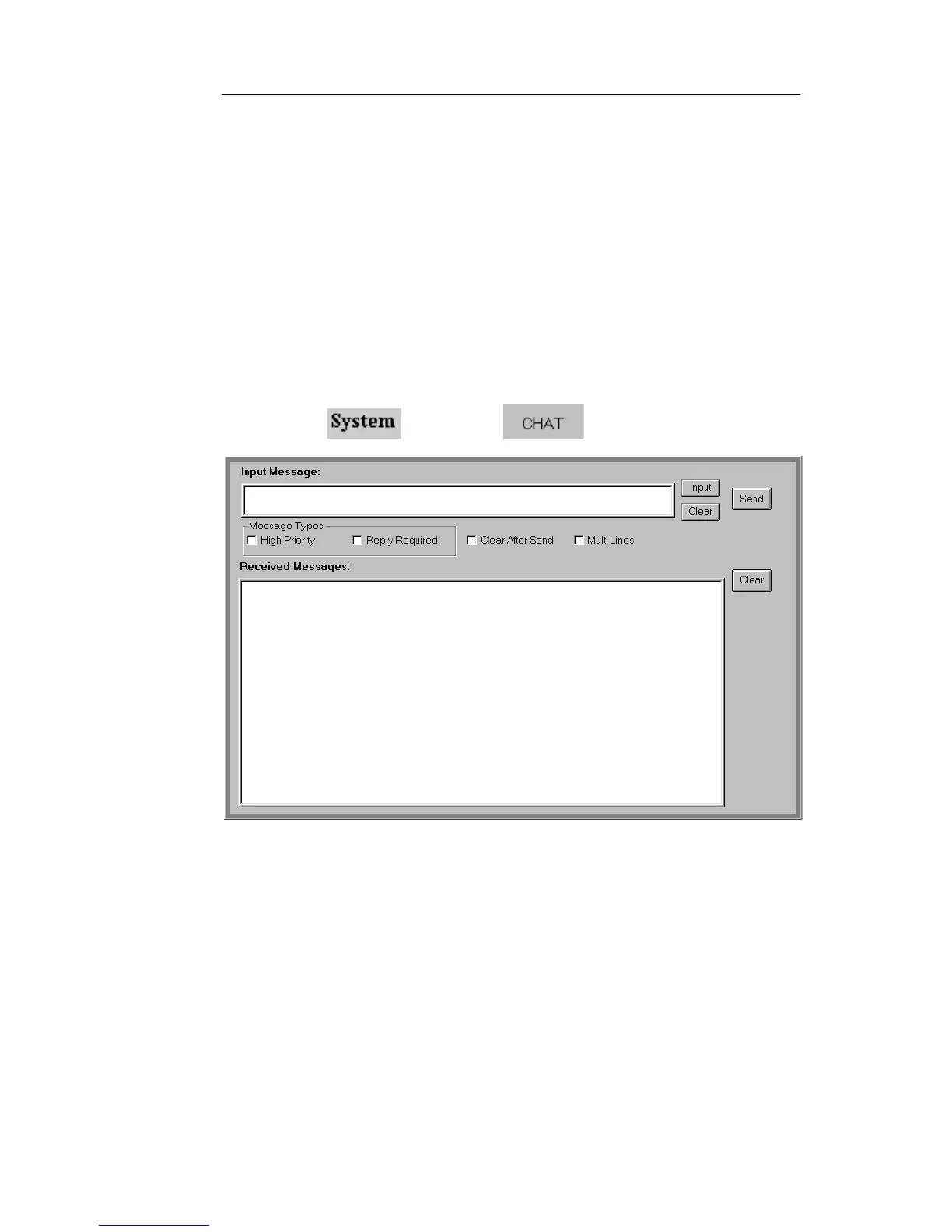
Using Chat
The Chat function can be used to send brief messages between Local
and Remote users on the same NIC.
To send a message:
1. Select and choose . The Chat screen appears.
2. Enter your message in the Input Message window.
If using the touch screen on a portable test set, select Input. A
keypad appears allowing you to enter the message. Select
Enter when done. The message appears in the Input Message
window.
If using the Remote Control Application to control a remote
test set, place your mouse cursor in to the Input Message win-
dow and type the message.


 To Next Page
 Loading...