700271-0001 Rev. G 05/13 11
4 System Operation
4.1 Power Up
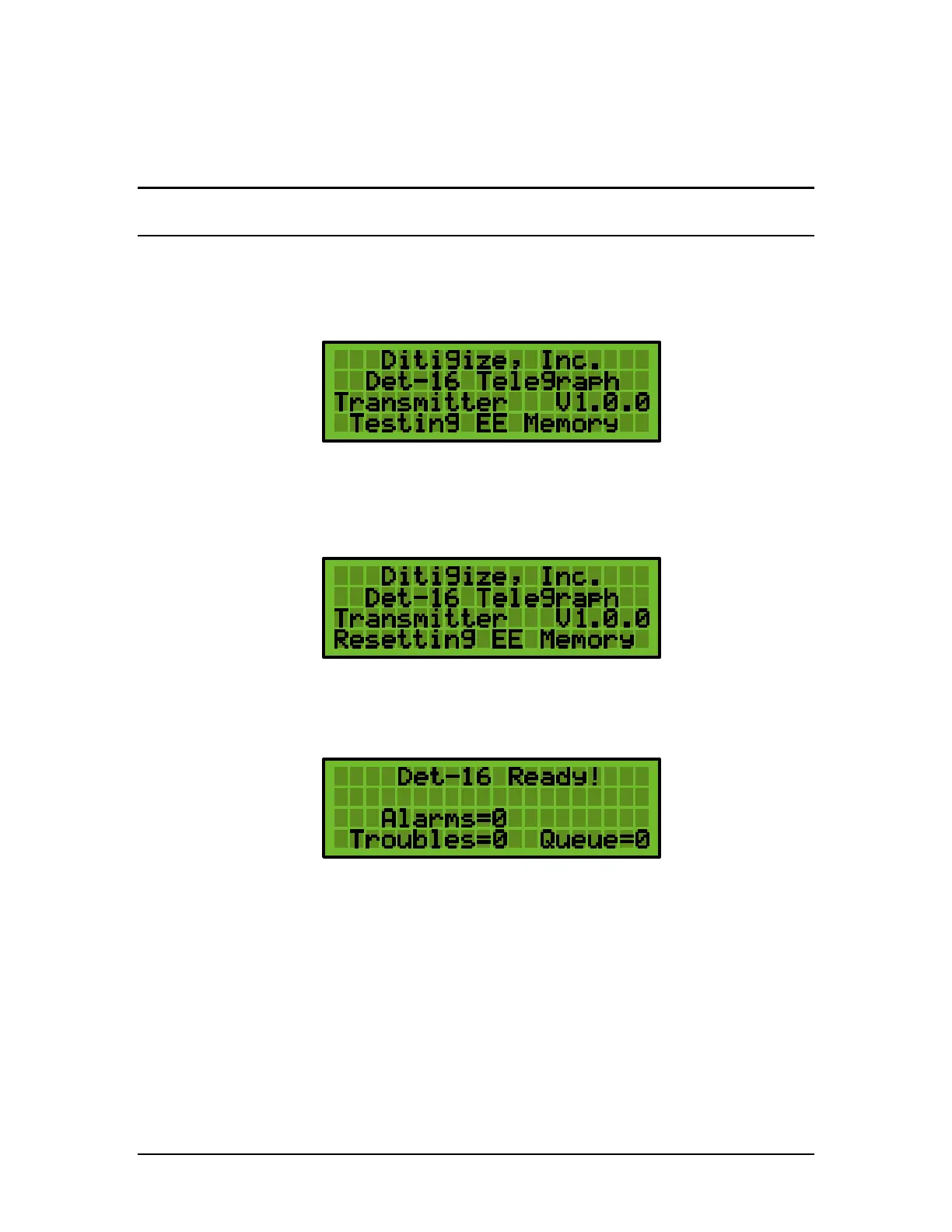
During power up, the DET-16 panel displays the following:
Note: Version Number V1.0.0 may be different.
While powering up, the panel will test the EE Memory. The EE Memory stores the user
selectable panel settings. If the panel detects corrupted data in the EE Memory, it will
automatically rewrite the memory with the factory default settings.
4.2 Normal Operation
The following display represents a panel during Normal Operation.
During normal operation, the panel will be testing the following functions:
a. Test each of the 16 zone inputs for change.
b. Test the status of the 100 mA Loop.
c. Test the status of the Backup Battery and the AC Power Supply.


 To Next Page