700271-0001 Rev. G 05/13 35
6 Det-16 Programming Utility
6.1 Overview
The Det-16 Programming Utility is a programming aid that runs on a Windows laptop
computer. It allows the firmware and panel settings to be uploaded and downloaded from the
Det-16 panel. The settings can be edited and saved on the laptop computer.
The requirements for the Det-16 Programming Utility are simple; A computer running
Windows XP or newer with a USB port.
6.2 Installation
Installation of the Det-16 Programming Utility is a simple two step operation. First the USB
drivers need to be loaded, and then second the Det-16 Programming Utility needs to be
copied onto the computer.
Copy the Det-16 Programming Utility folder onto the computer to be used to connect to the
Det-16 panels.
Connect the computer to the USB port of a powered Det-16 panel. The computer will then
try to install the drivers required to run the USB ports. When prompted, select the Det-16
folder that contains the USB Drivers. The computer will then finish installing the USB
drivers.
To install the Programming Utility, simply copy the Det-16 Programming Utility “exe” file
from the folder to the hard drive on your computer, preferably the desktop, since it will be
easier to locate. That is all that is required to install the software.
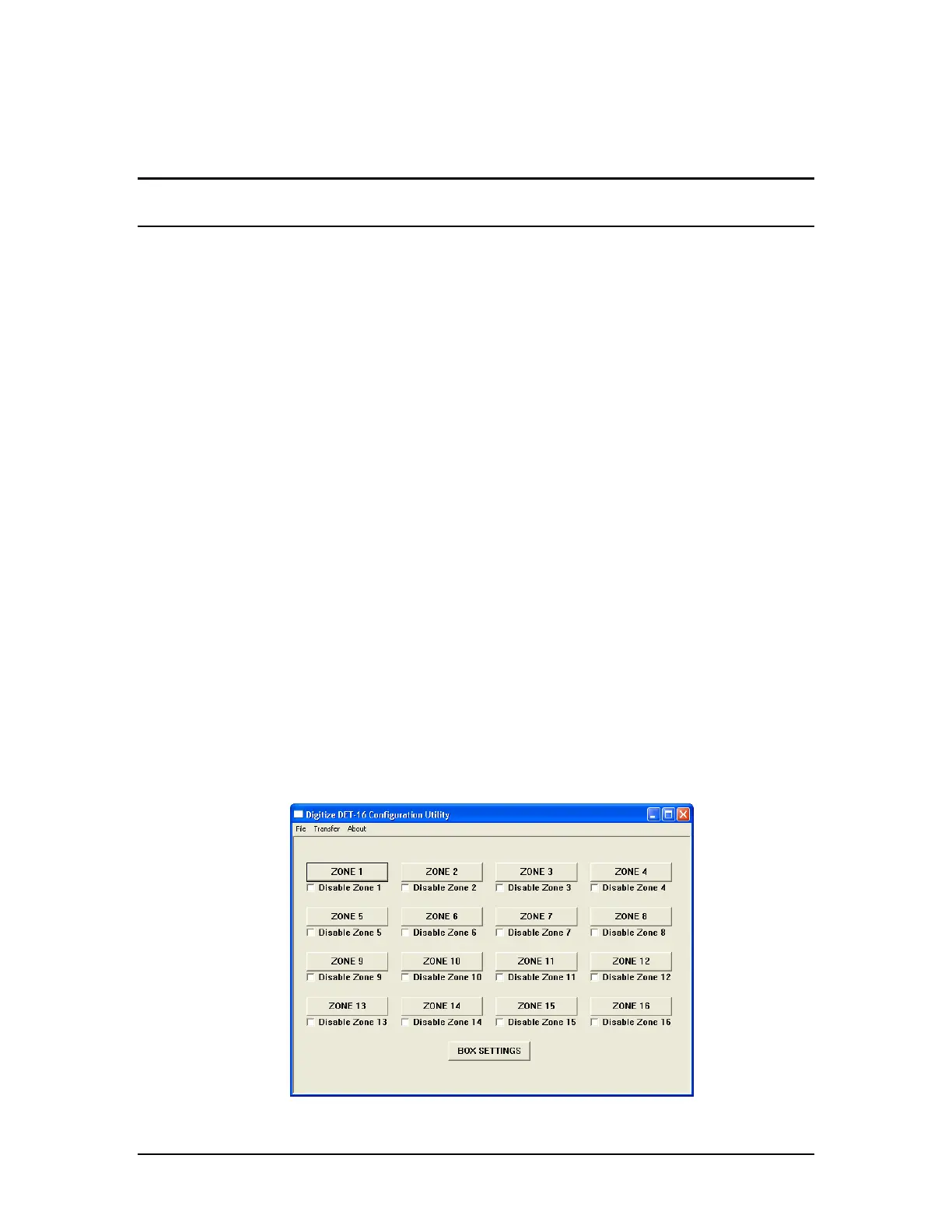
To start the program, simply double click on the icon. The following screen will appear.


 To Next Page