Det-16 Programming Utility Digitize Inc
44 700271-0001 Rev. G 05/13
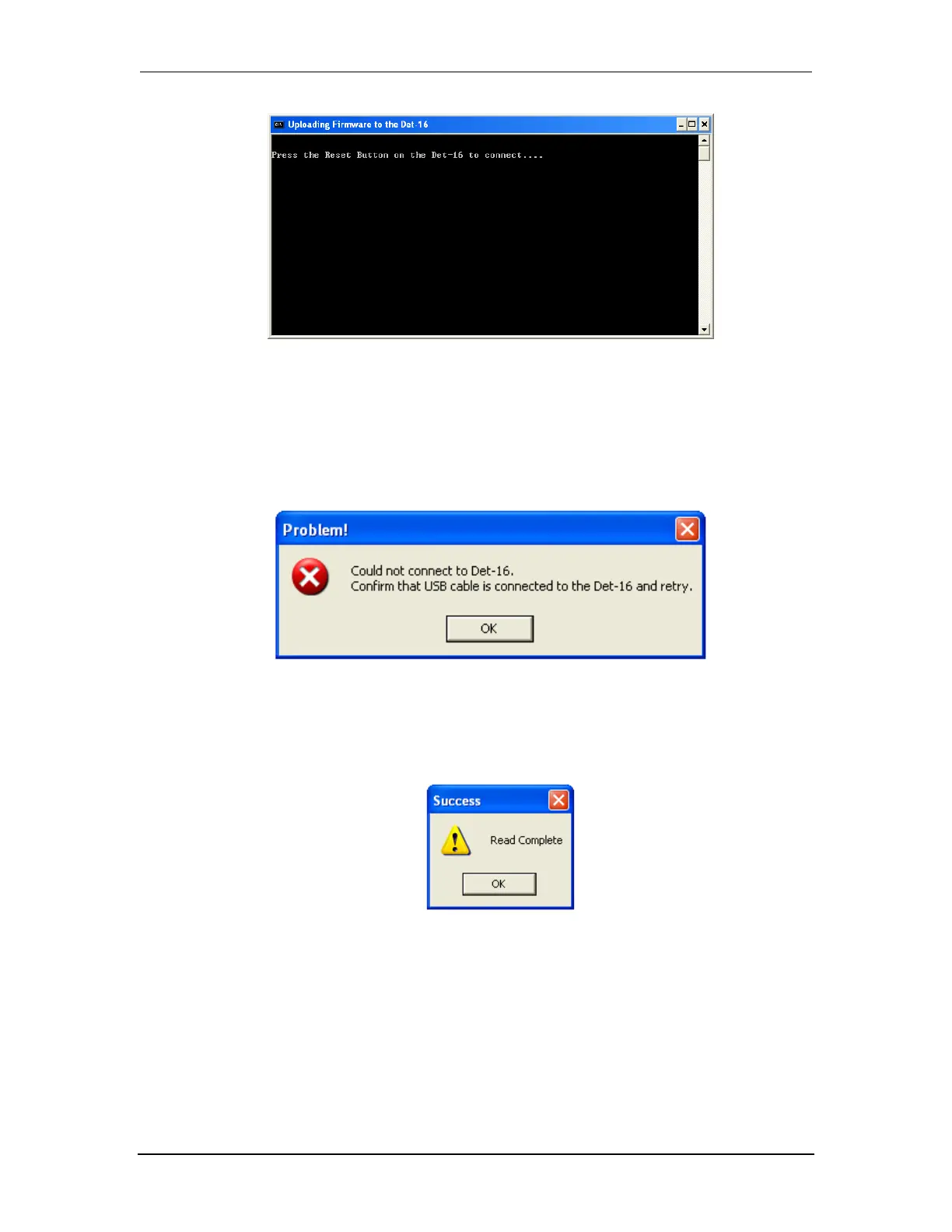
4. If the panel and computer connect properly, the download procedure will begin and the
progress will be reported in the window.
If the panel and the computer fail to connect, the following window will open. Check the
connection of the USB cable and try again.
5. The following window signals the successful end of the download procedure. The Zone
Settings and Box Settings now reflect the values downloaded from the Det-16.


 To Next Page