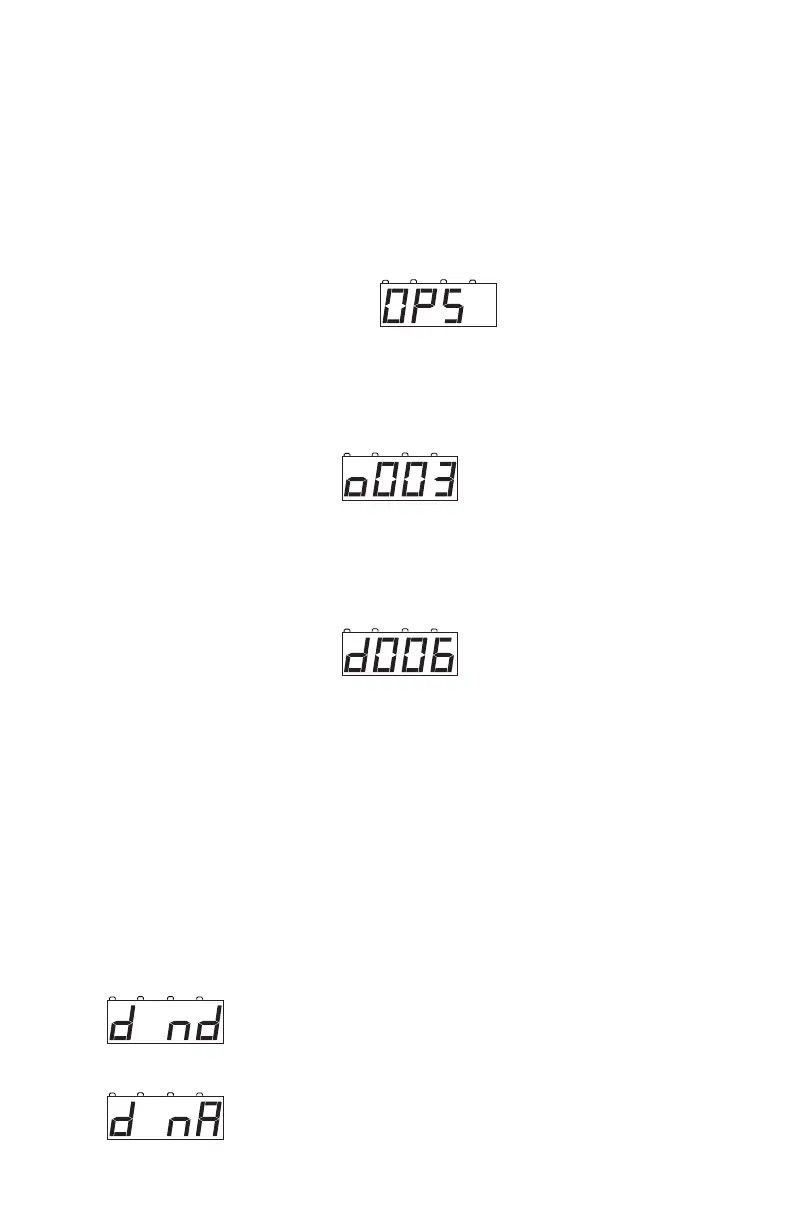
How to use Operations Mode Programming
1. Place the loco you want to program on the layout.
2. Select the address of the operations mode capable decoder equipped
loco that you want to program on the local throttle of the DCS50.
3. Press the PROG Key until OPS appears in the display.
4. Press the CV Key and use KEY PAD to enter the CV you want to
program. For example, to program the deceleration rate, enter 04 for
CV04 which controls deceleration. Your display will look something
like this:
5. Press the CV Key again and use the KEY PAD to enter the CV value
you want to program for the CV you selected in the previous step.
For example to set the deceleration rate to a value of 6, enter 06.
Your display will look like this:
6. Press the CV-WR Key to write the selected CV data value to the
selected CV.
7. Press the EXIT Key when finished programming to return to normal
operations.
13.5 Programming Error Messages
When you are programming decoders, there are a few error messages
you may encounter.
d nd means there is an open circuit on the program-
ming track.and no current draw is detected by the pro-
grammer.
d nA means there is no acknowledgement from the
decoder typically during decoder write operations.



 To Next Page