E-22
English
6.5
6.5 Modem / PC Link
It is necessary to configure the modem in the “Modem” menu.
Refer to the installation instructions of the remote diagnosis
system used regarding installation regulations. Check all
changes to the factory settings very carefully because an existing
connection could be severed.
Adjusting the interface for remote diagnostics
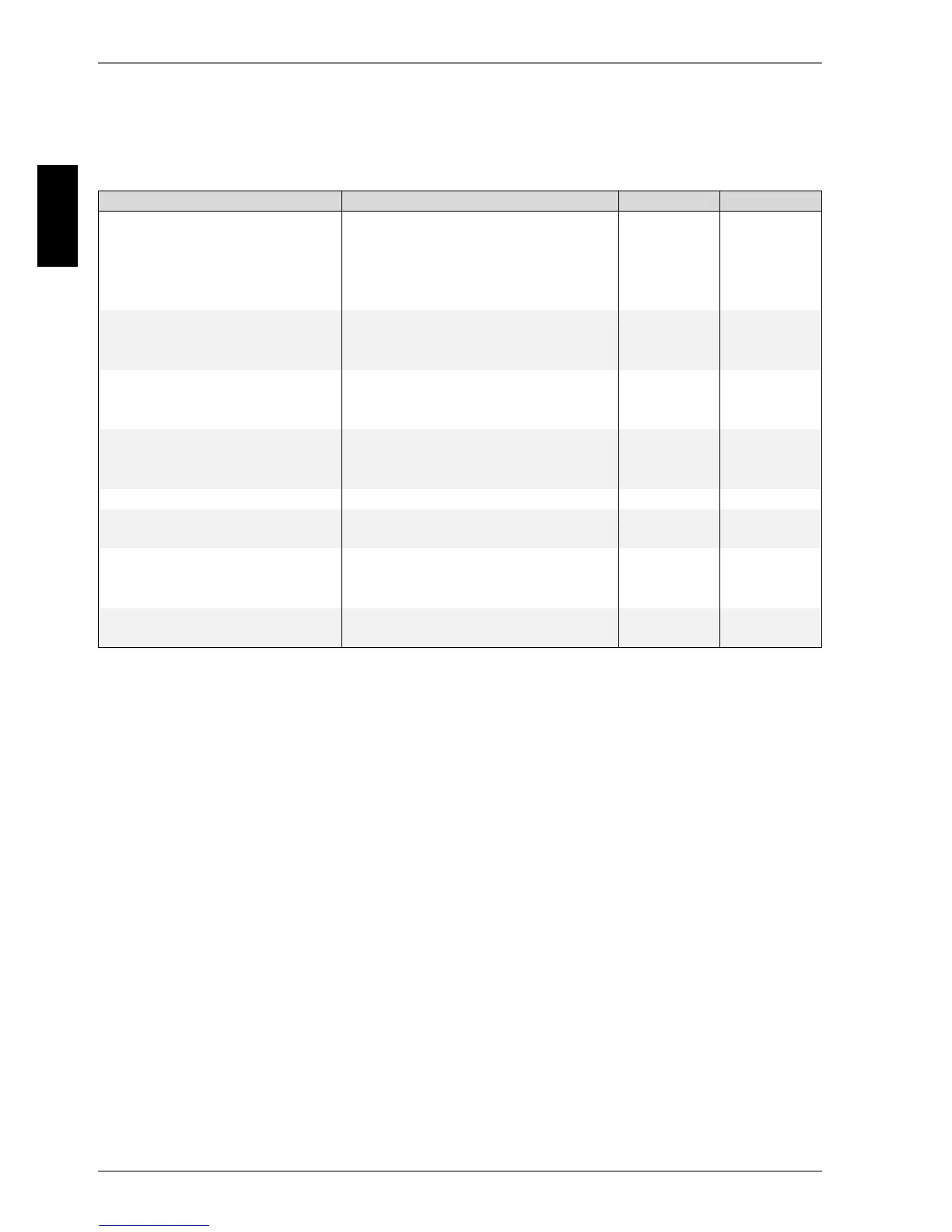
Setting range
Display
Selects the baud rate with which data is exchanged
via the serial interface. Ensure that the same baud
rate is set on both sides of the communication
system.
19,200
9,600
4,800
2,400
1,200
At all times
An address can be assigned to each connection.
This value should remain set to 001 in normal
operation.
0
...001...
199
At all times
Setting the protocol specifies which type of remote
diagnostics are used (local or modem)
Local
Remote
GSM
At all times
The remote diagnostic function can be locked by a
password
0
... 1234...
9,999
At all times
This function is currently not in use At all times
This sets which type of telephone connection is
used for remote diagnostics via modem
Tone
Pulse
At all times
This sets the number of rings after which the
controller for remote diagnostics answers
0
... 1...
9
At all times
This function is currently not in use No
Yes
At all times

 To Next Page
 Loading...