UC2000-VE/F/G GSM/CDMA/WCDMA VoIP Gateway User Manual
_______________________________________________________________________________
Shenzhen Dinstar Co., Ltd.
109
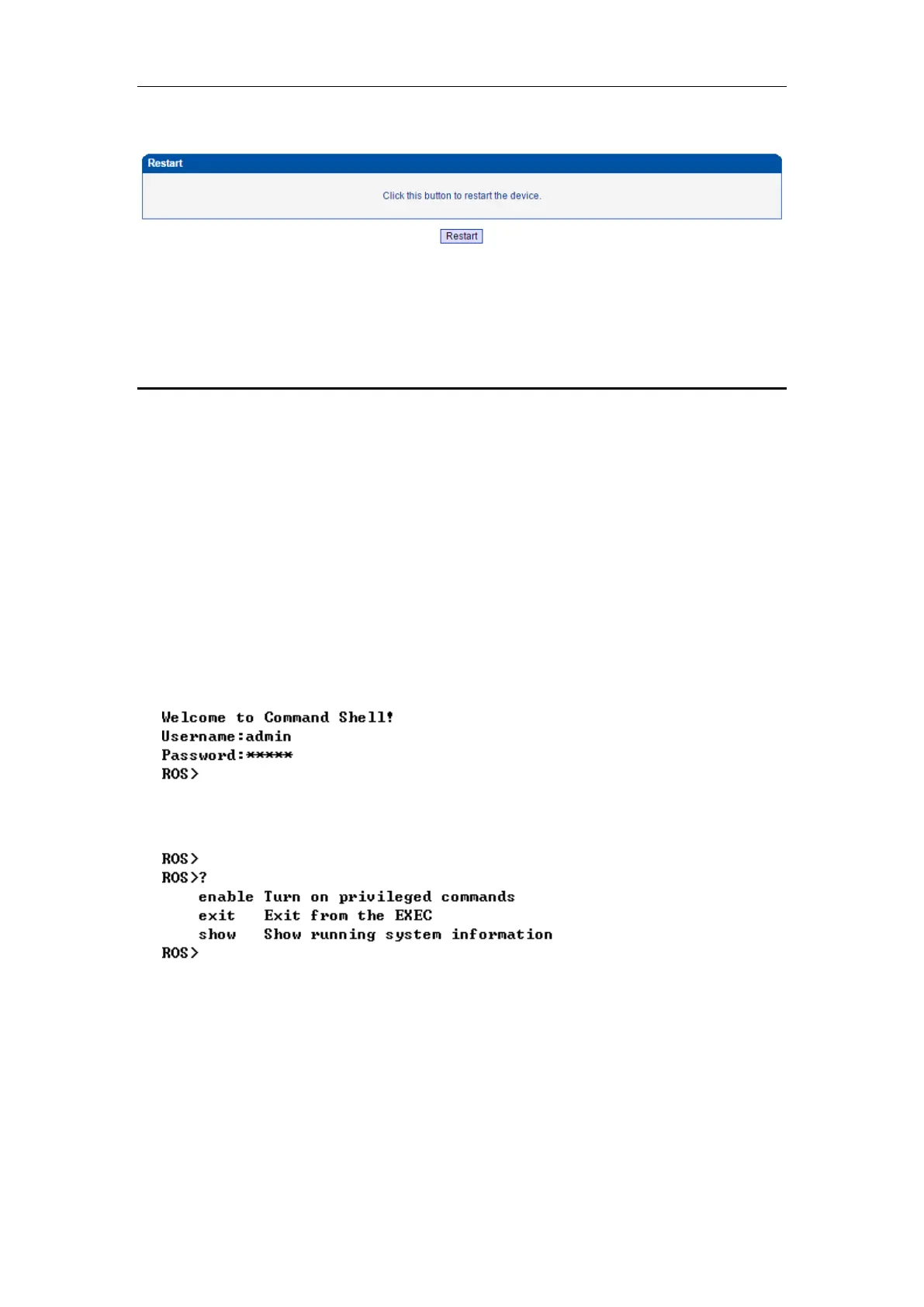
4.12.11 Restart
5 Troubleshooting and Command Line
5.1 LOGIN UC2000 & GENERAL KNOWLEDGE OF UC2000 COMMAND
This is a document for some customers who need more details of DINSTAR’s products with
command lines. To make sure the system runs successfully, we suggest customers setting
UC2000 by GUI. In this manual, some topics such as how to check the IP, signaling and call
conversation are covered.
Tips: The document is fit for all UC2000-VE/F/G models.
Run system tool Telnet to login UC2000. The default username and password is "admin".
C:\Users\Administrator>telnet 172.16.101.142
Input "?" to show the all commands and its information.
Abbreviation is supported in UC2000 command. For example you can input "en" substitute for
"enable", input "sh" substitute for "show", input "cl" substitute for "clock",



 To Next Page