UC2000-VE/F/G GSM/CDMA/WCDMA VoIP Gateway User Manual
_______________________________________________________________________________
Shenzhen Dinstar Co., Ltd.
72
4.9.9 Service parameter
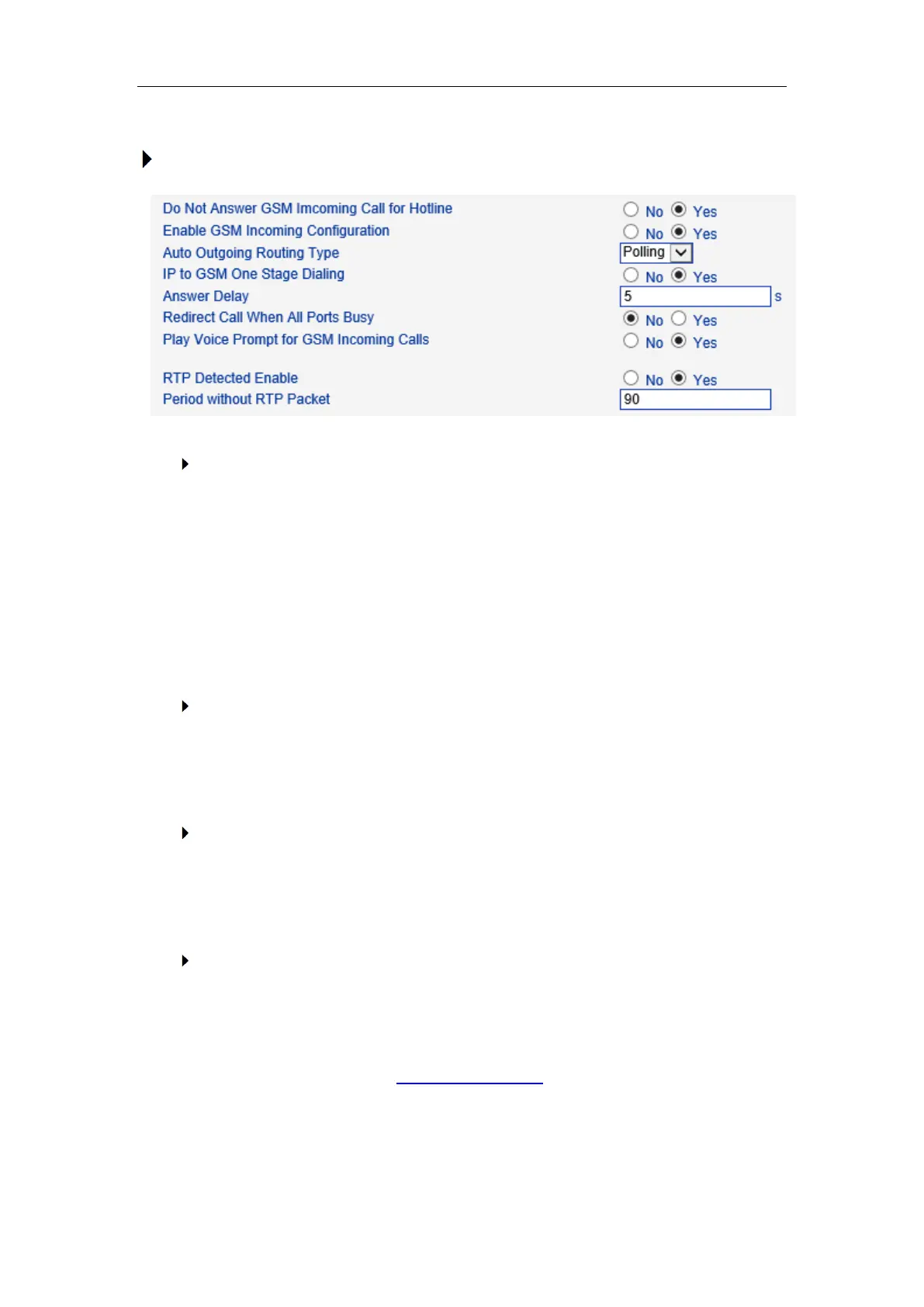
To configure dialing mode parameters
Do Not Answer GSM Incoming Call for Hotline
When the gateway get incoming call from mobile network, the modular will answer
the call then start to DTMF or route to destination hotline number. While this option
enabled, the modular won’t answer the call but routing to destination hotline number
till it getting answer.
Notes: Refer to Port Parameter page for Hotline configuration.
Enable PSTN Incoming Configuration
Means when call from mobile side, you can dial the feature codes (Chapter 3 Basic
Operation) to configure IP address and so on
Enable Auto Outgoing Routing
Means when call out, whether by ordinal or polling pick to Select a Channel, this
feature are generally used when use the same SIP User ID to register.
IP to PSTN One Stage Dialing
The GSM/CDMA gateway support two dialing mode, one stage and two stage
dialing. One stage dialing will obtain called number from INVITE message body,
either Request line or To <SIP:xxxxx@host.com> field. Then deliver called number
to GSM/CDMA directly.



 To Next Page