UC2000-VE/F/G GSM/CDMA/WCDMA VoIP Gateway User Manual
_______________________________________________________________________________
Shenzhen Dinstar Co., Ltd.
64
To add an IP group, set IP “10, 14, 17” to IP group 18
Figure 4-11-4 IP Trunk group modify
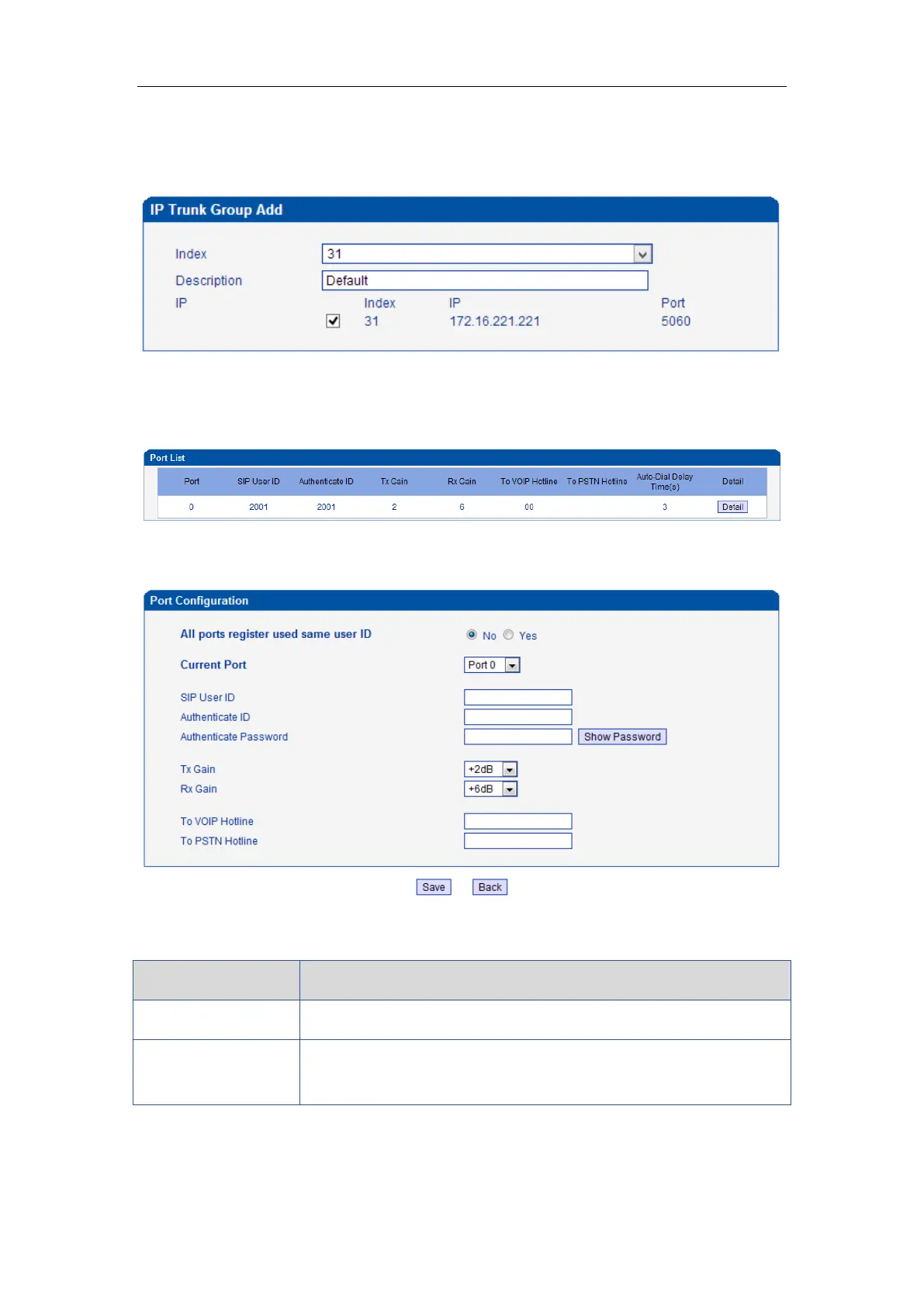
4.9.4 Port Configuration
Figure 4-12-4 Port Configuration
Table 4-12-3 Description of Port Configuration
Used to configure ports’ gain, Auto-Dial, etc.
ALL ports register
used same user ID
The default is no. If set to "yes" ,all the ports will use the same user ID
to register to SIP server



 To Next Page