UC2000-VE/F/G GSM/CDMA/WCDMA VoIP Gateway User Manual
_______________________________________________________________________________
Shenzhen Dinstar Co., Ltd.
87
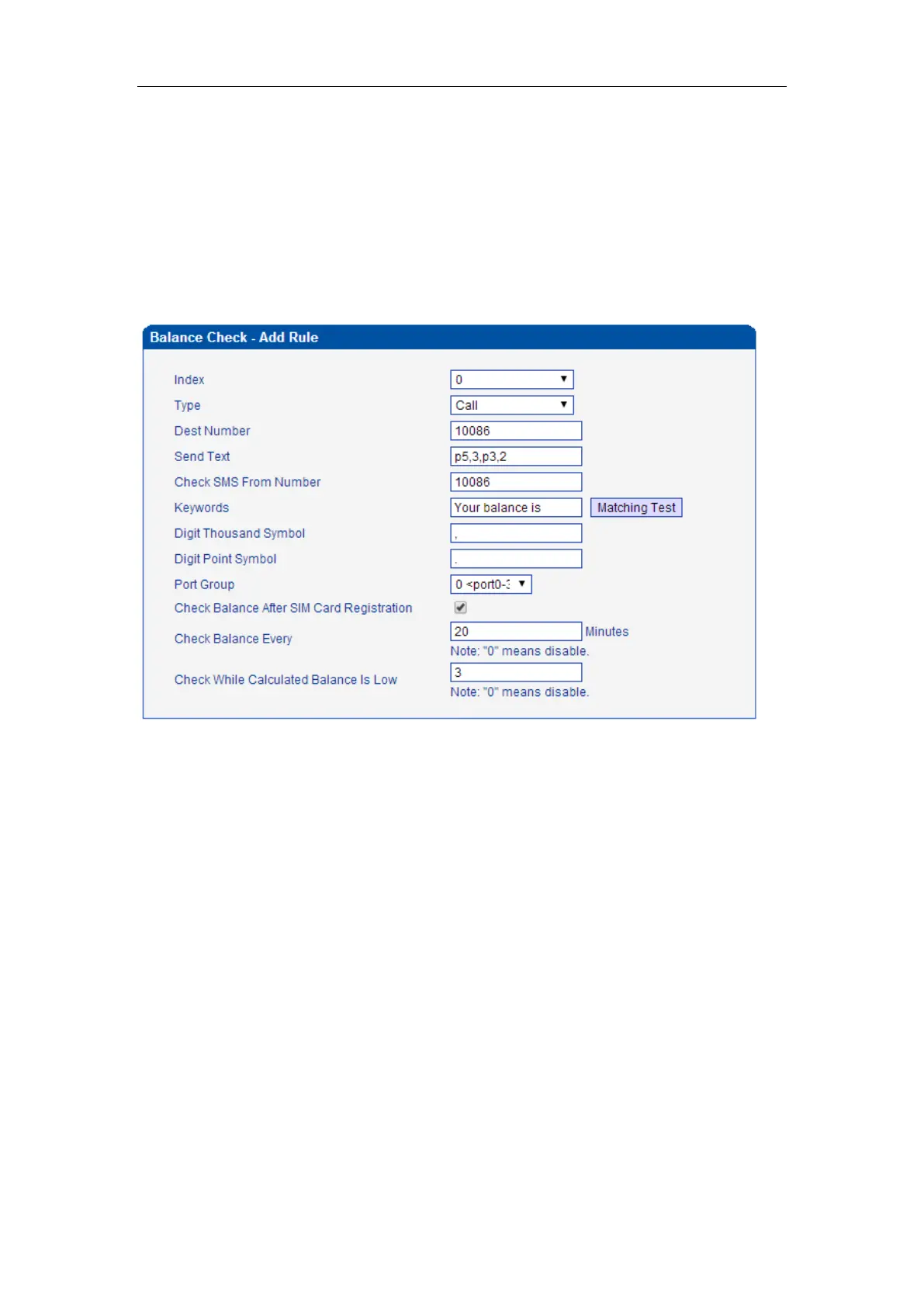
Call to carrier and get the response. For example, call 10086, after call connected,
it will play IVR “welcome to use China Mobile, recharge, press 1; check phone
number, press 2; other services, press 3 ...” press 3, it will play IVR “check current
package, press 1; check balance, press 2;…”, press 2, the carrier reply MSG:
“Your balance is 73.40$”. So, configured the Dest Number to 10086, the Send
Text to p5,3,p3,2 that means after call connected wait 5s, then press 3, then wait
3s, then press 2. the Check SMS From Number to Null, the Keywords to “Your
balance is”, the gateway will take the number 73.40.
For make sure the configuration work, we can use the Matching Test. Input the “Your
balance is 73.40$” at Test SMS Text, press the Test, you will get the match result.



 To Next Page