ICS-1000 Ion Chromatography System
5-20 Doc. 031879-01 3/03
5.9 Replacing the Conductivity Cell
1. Turn off the ICS-1000 power.
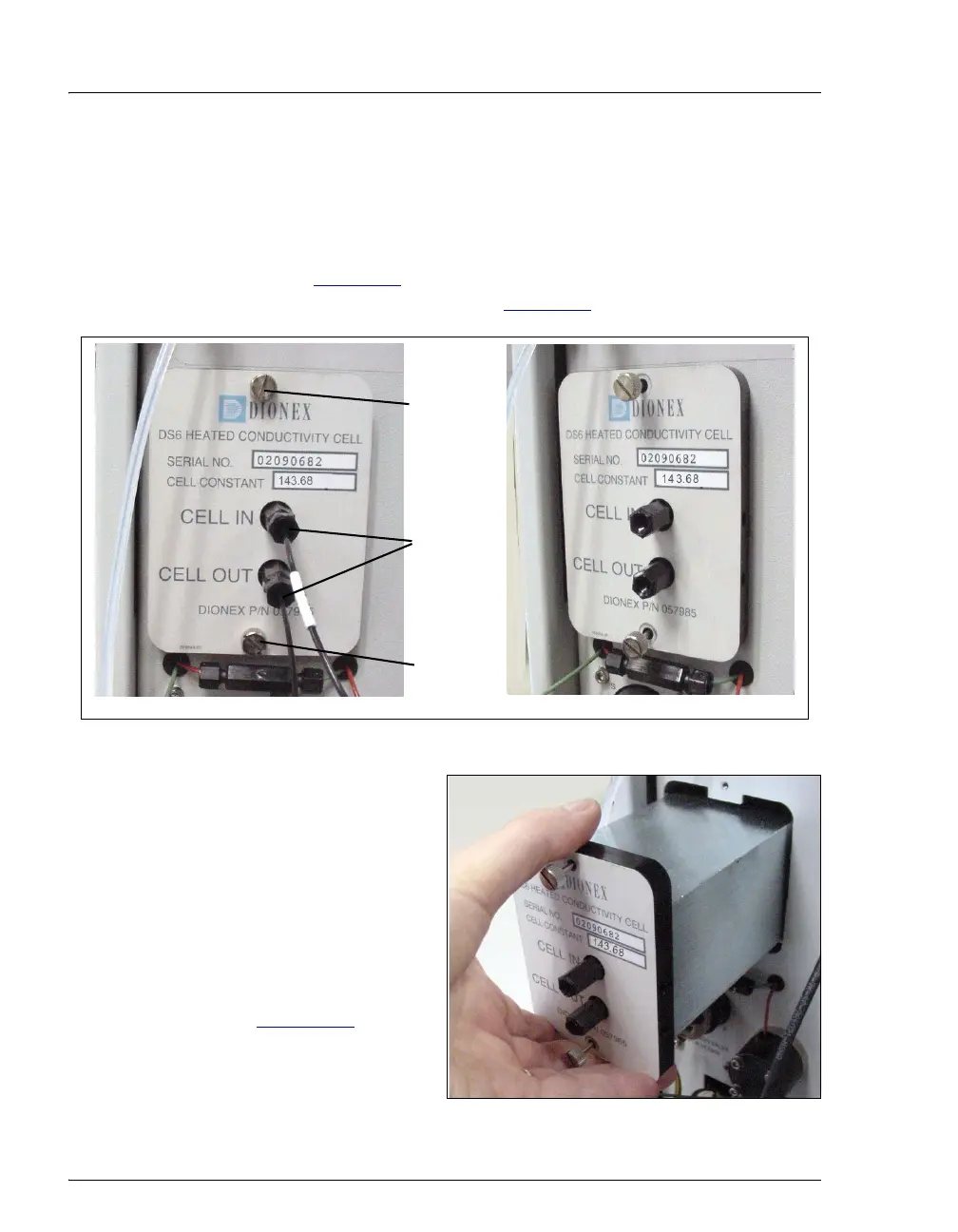
2. Open the front door and disconnect the tubing from the
CELL IN and CELL
OUT
fittings (see Figure 5-9, View A). Loosen the two screws on the cell front
cover. The screws remain attached (see Figure 5-9
, View B).
Figure 5-9. Removing the Cell Front Cover
3. Grip the two loosened screws
and pull the cell cover toward
you to remove it from the
component panel. Do not pull
from the
CELL IN and CELL
OUT fittings.
4. Continue pulling on the cover
until the attached cell assembly
slides out the front of the ICS-
1000 (see Figure 5-10
).
Figure 5-10. Removing the Cell Assembly
Disconnect
Unscrew
Unscrew
View A
View B



 To Next Page