ICS-1000 Ion Chromatography System
2-12 Doc. 031879-01 3/03
2.3.1 The Chromeleon Main Window and Browser
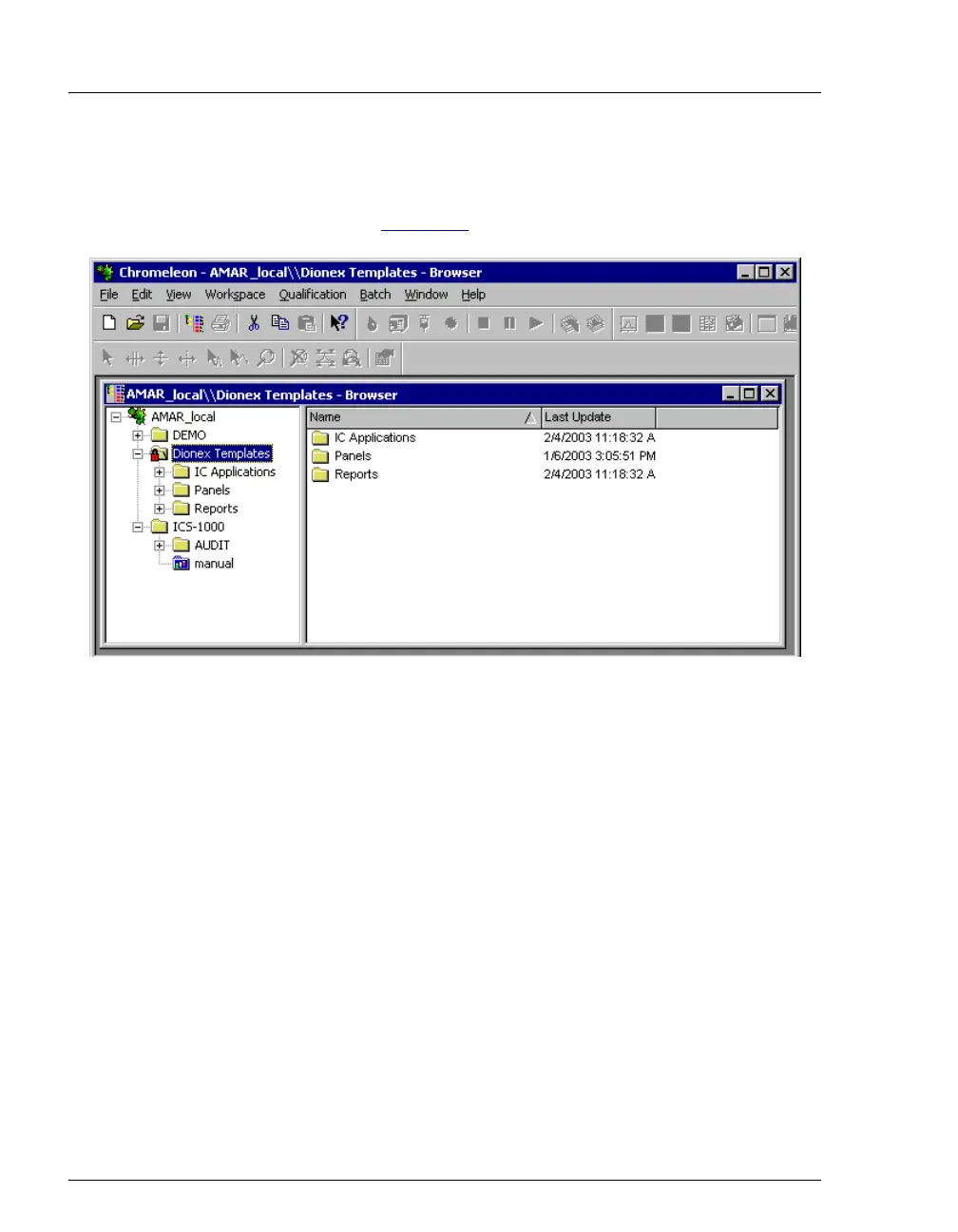
When you start Chromeleon, the main window and the Chromeleon
Browser appear (see Figure 2-7
).
Figure 2-7. Chromeleon Main Window and Browser
NOTE The Chromeleon Browser looks and functions like
Windows Explorer, but do not confuse the two. If you
copy files from the Chromeleon Browser into Explorer,
the files will be corrupted.
The Browser displays the directories in which chromatographic data is
located, and allows you to open, move, and delete data.
• The left pane of the Browser shows the directory tree structure. By
clicking the ‘+’ signs next to the folders and expanding the directory
tree, you can access sequences, System Control Panels, Wellness
Panels, and reports.
• The right pane displays information about the item selected in the left
pane.


 To Next Page